Apple iPhone 14 Pro Top Speaker
Before You Begin
Warning
Read Battery Safety and follow workspace and battery handling guidelines before you begin.
Remove the following part before you begin:
Tools
-
6.1-inch repair tray
-
ESD-safe tweezers
-
JCIS bit
-
Nitrile or lint-free gloves
-
Nylon probe (black stick)
-
Torque driver (gray, 0.55 kgf cm)
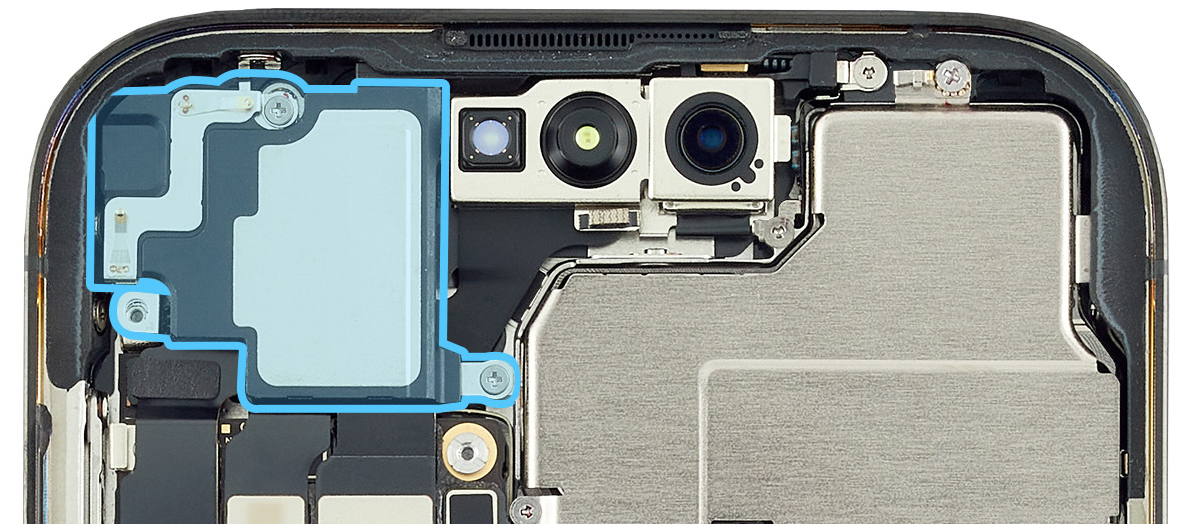
Caution
-
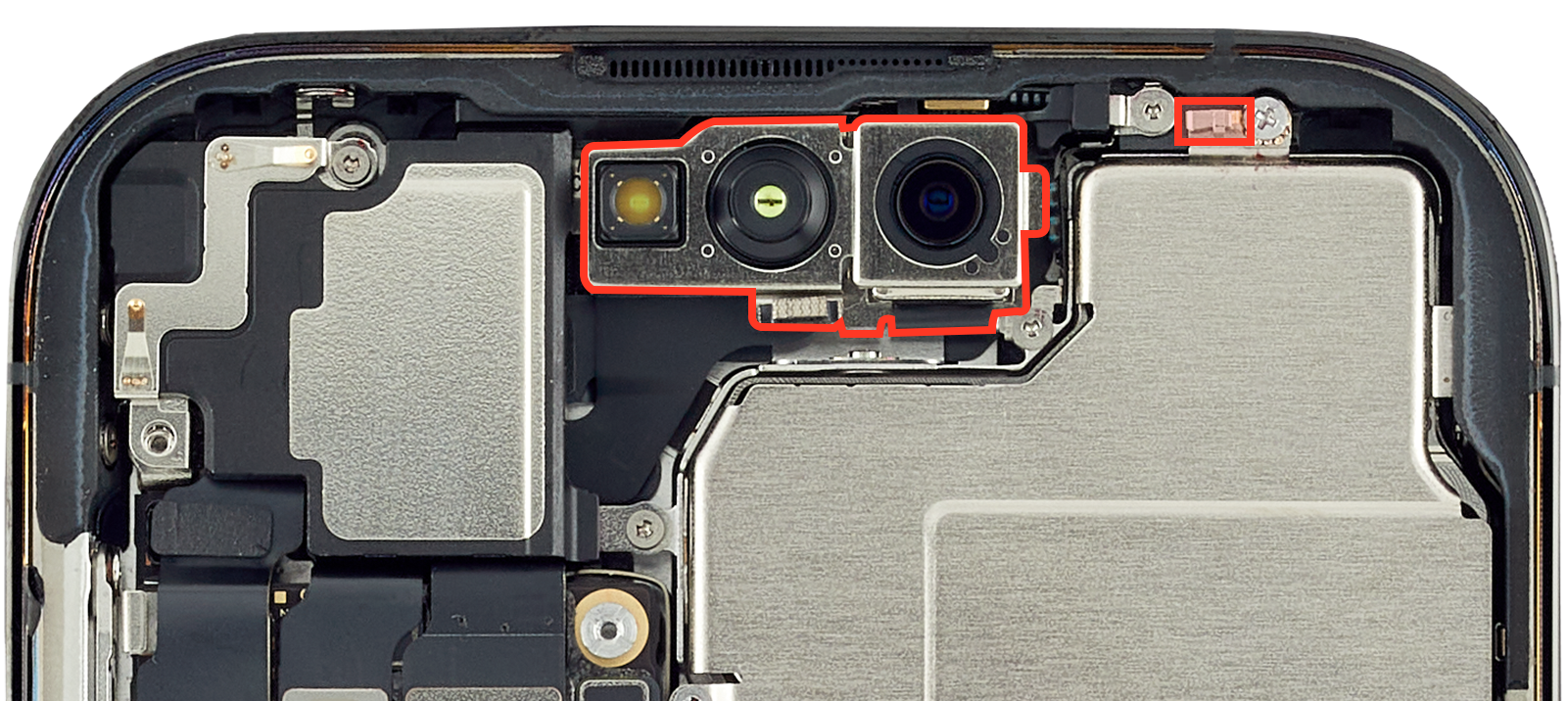
To avoid damaging the lenses, don’t touch the TrueDepth camera assembly or nearby parts.
-
Avoid the grounding spring on the camera cowling.
Removal
-
Place the enclosure in the repair tray with the Lightning connector facing the cutout.
-
Put on the gloves to prevent contamination of the camera lenses.
-
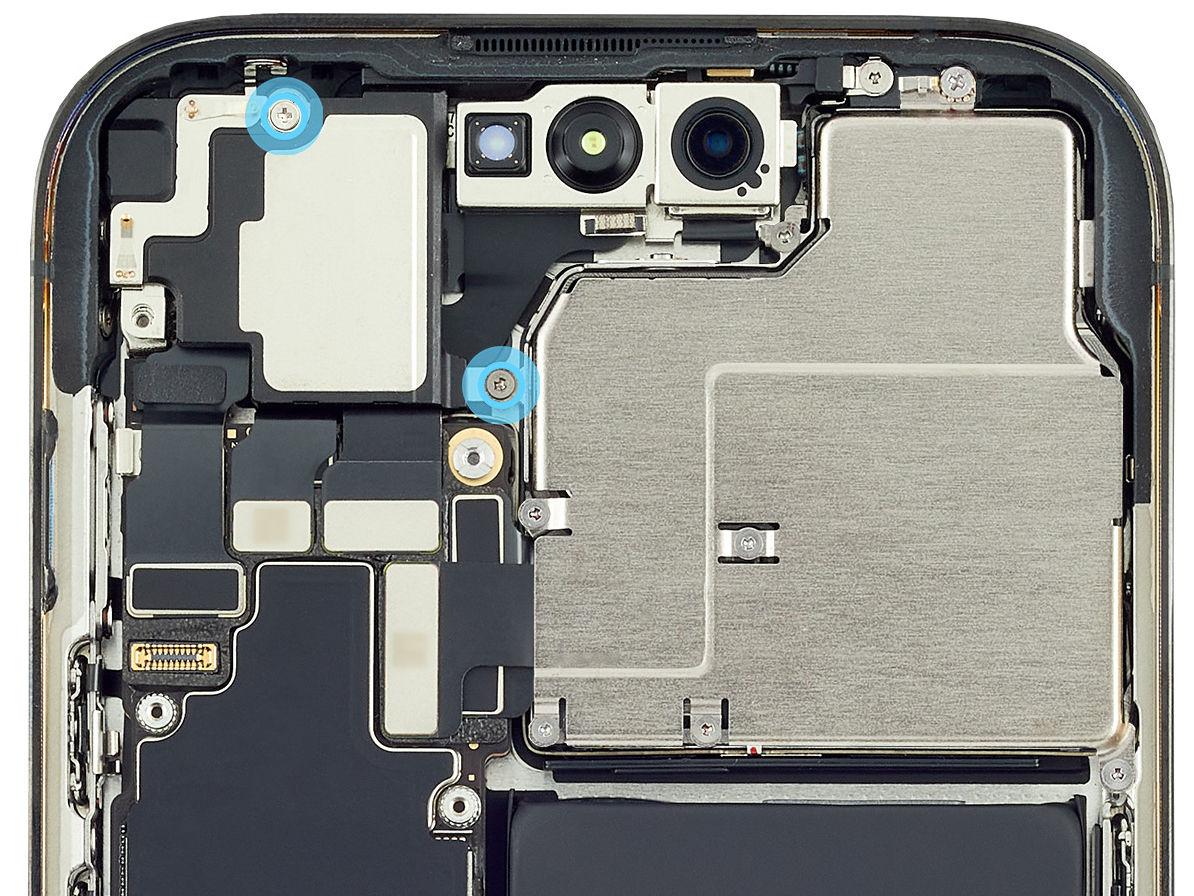
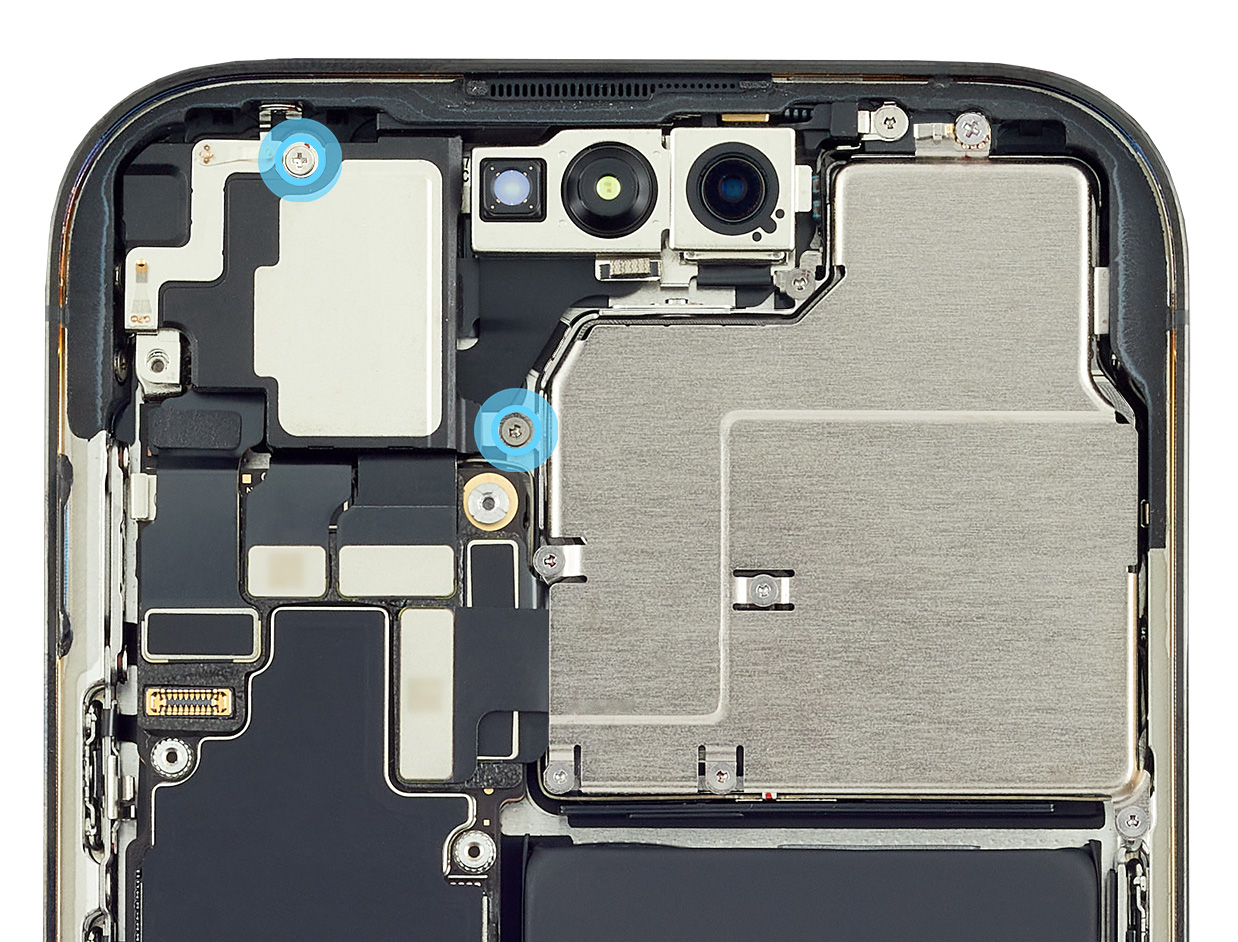
Use a torque driver and the JCIS bit to remove the two crosshead screws from the top speaker. Set aside the screws.
-
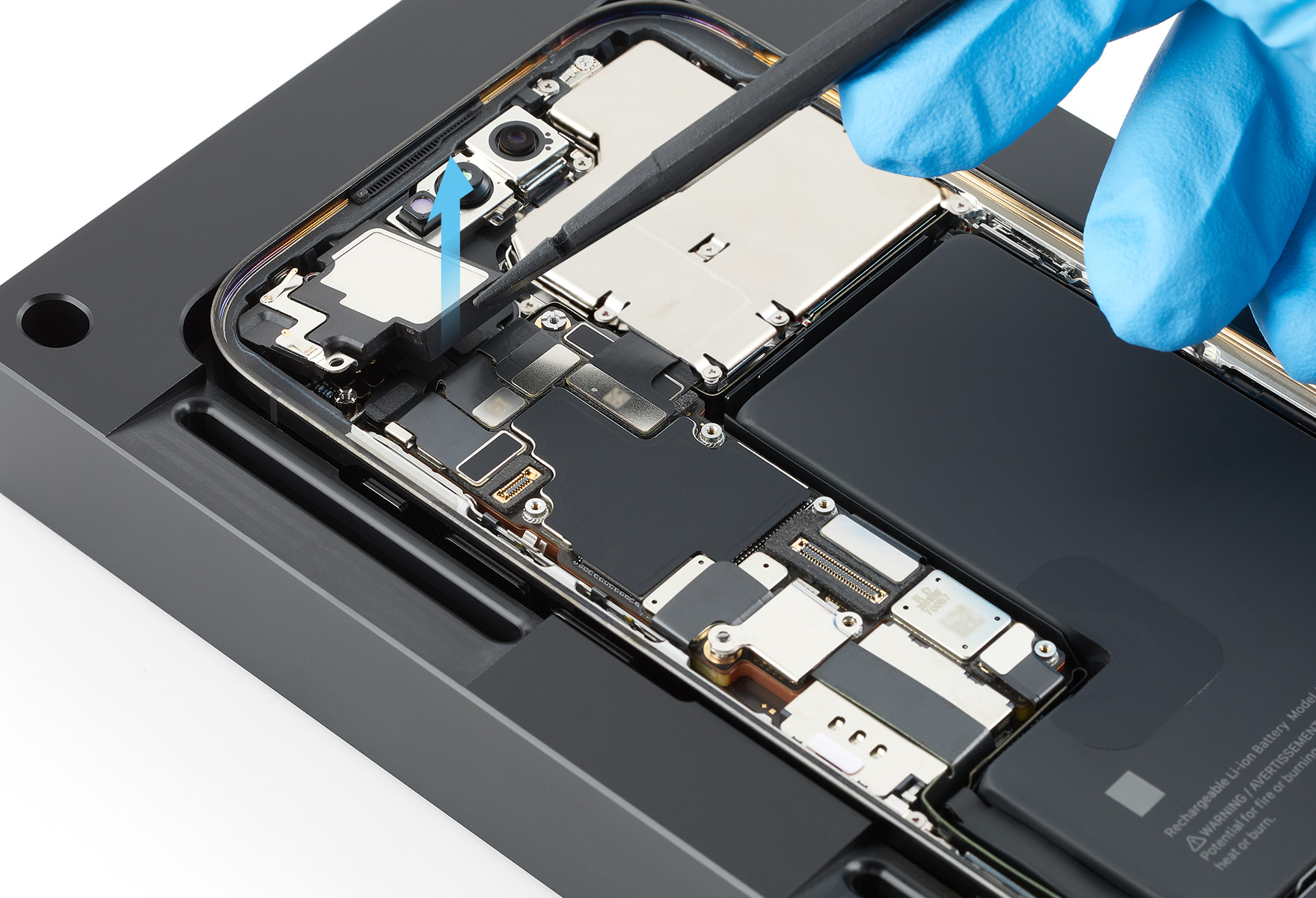
Use the black stick to tilt up the top speaker as shown. Then lift the top speaker out of the enclosure.
Reassembly
-
Position the top speaker in the enclosure.
-
Use the gray torque driver and JCIS bit to install two new crosshead screws (923-08159) into the top speaker.
Reinstall the following part to complete reassembly: