Apple iPhone 15 Main Microphone
Before You Begin
Warning
Read Battery Safety and follow workspace and battery handling guidelines before you begin.
Remove the following parts before you begin:
Tools
-
6.1-inch repair tray
-
ESD-safe tweezers
-
JCIS bit
-
Micro stix bit
-
Nylon probe (black stick)
-
Super screw bit
-
Torque driver (gray, 0.55 kgf cm)
-
Torque driver (green, 0.45 kgf cm)
-
Torque driver (orange, 0.85 kgf cm)
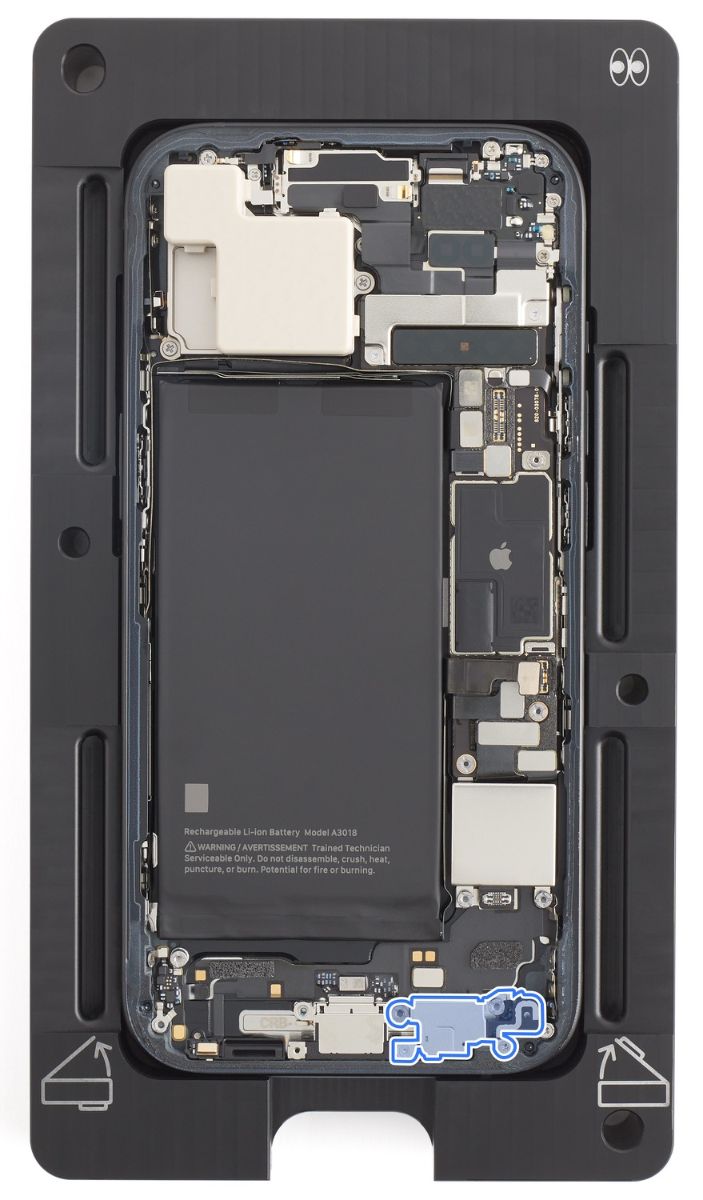
Removal
-
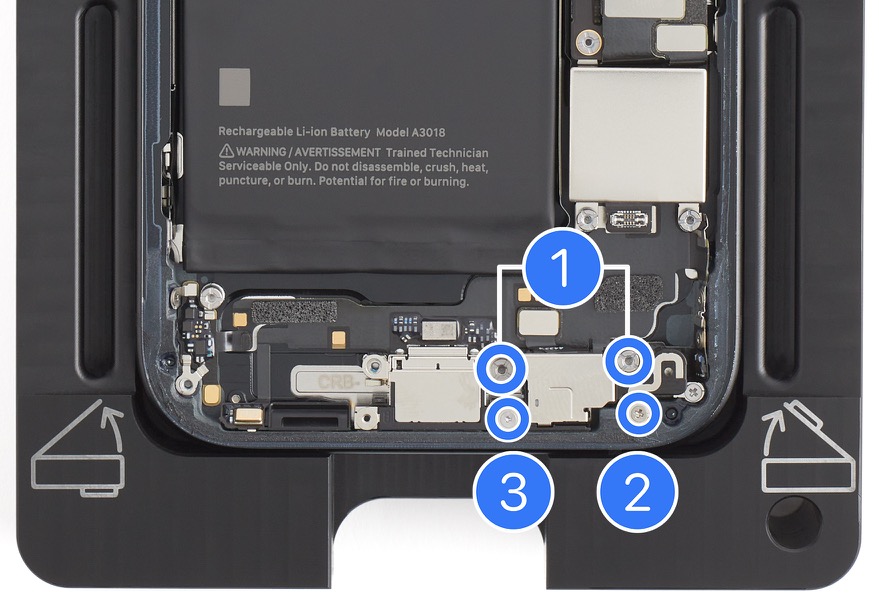
Use a torque driver and the super screw bit to remove two super screws (1) from the main microphone. Set aside the screws.
-
Use a torque driver and the JCIS bit to remove one crosshead screw (2). Set aside the screw.
-
Use a torque driver and the Micro stix bit to remove one trilobe screw (3). Set aside the screw.
-
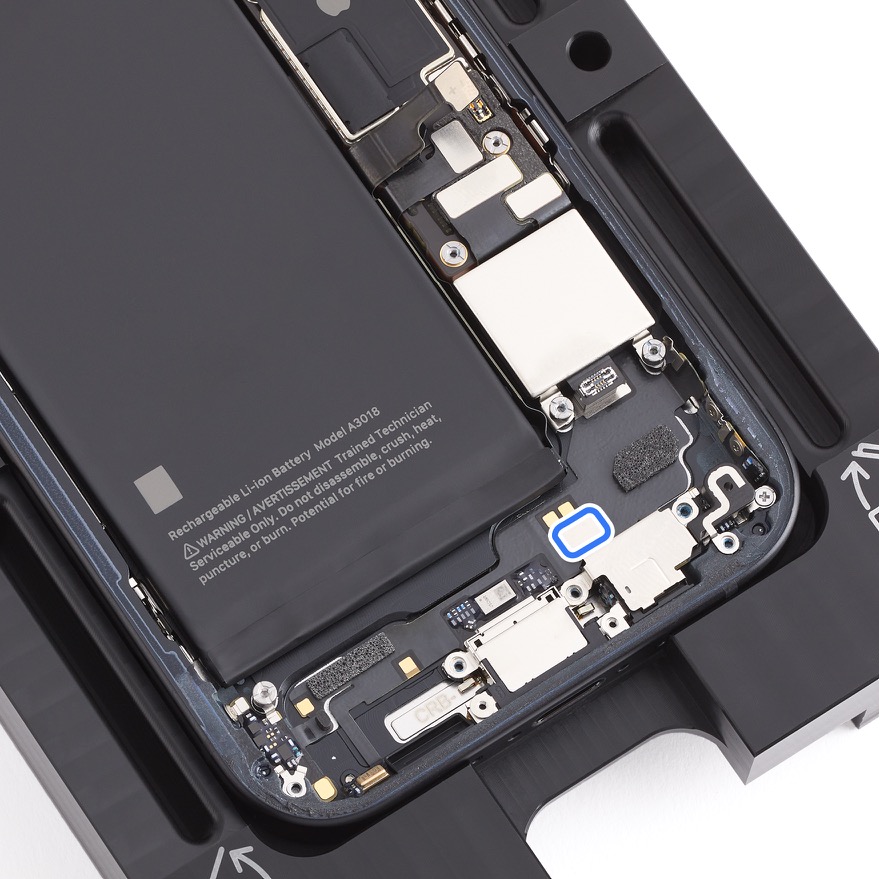
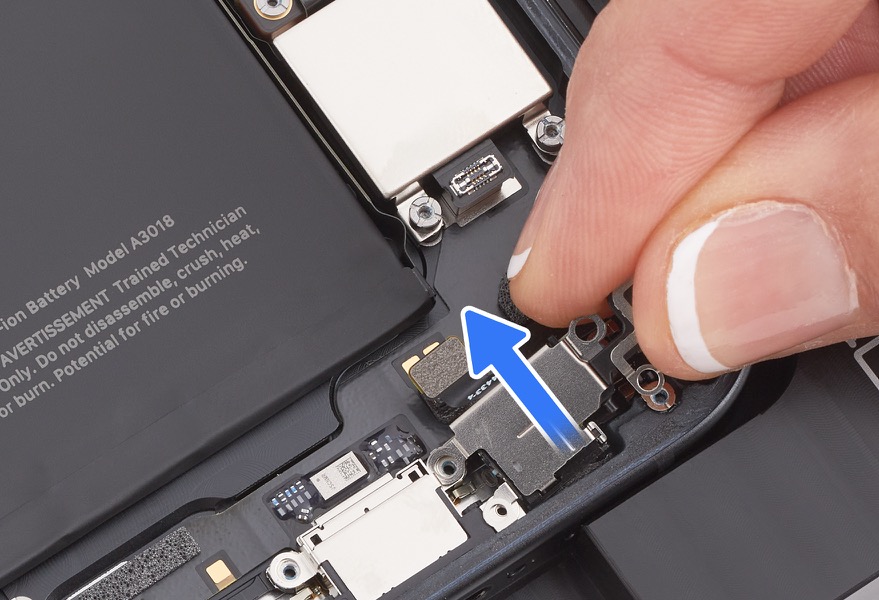
Lift the end of the main microphone flex cable off the connector. Remove the main microphone from the enclosure.
-
Important: The main microphone is held in place by strong adhesive. Pull the main microphone toward the top of the enclosure until the microphone separates from the adhesive.
-
Reassembly
-
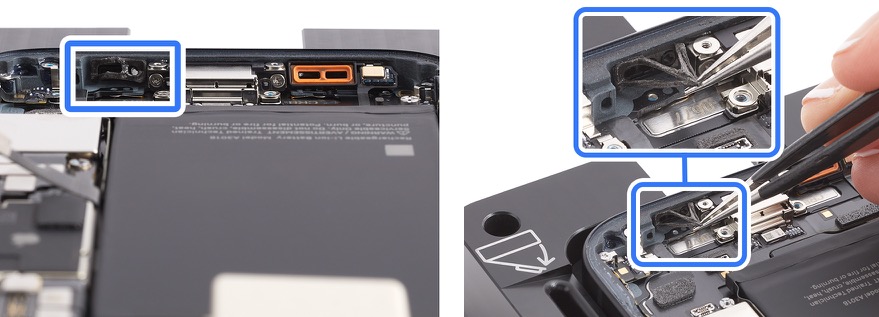
Use the ESD-safe tweezers to remove all adhesive from the enclosure.
-
Use ESD-safe tweezers to peel the protective liner from the adhesive on the main microphone.
-
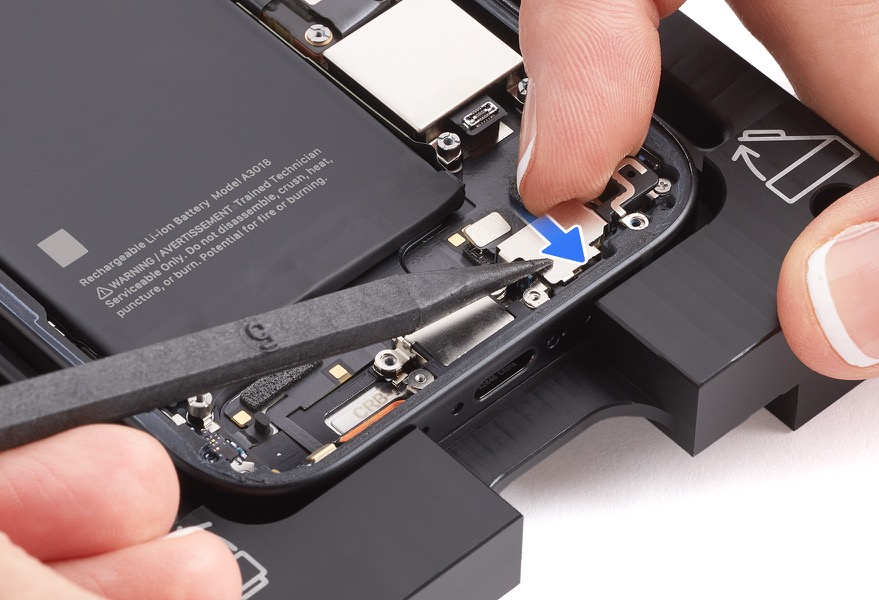
Position the main microphone in the enclosure.
-
Press and hold the top of the main microphone for 10 seconds to ensure that it adheres to the enclosure.
-
Press the end of the main microphone flex cable to the connector.
-
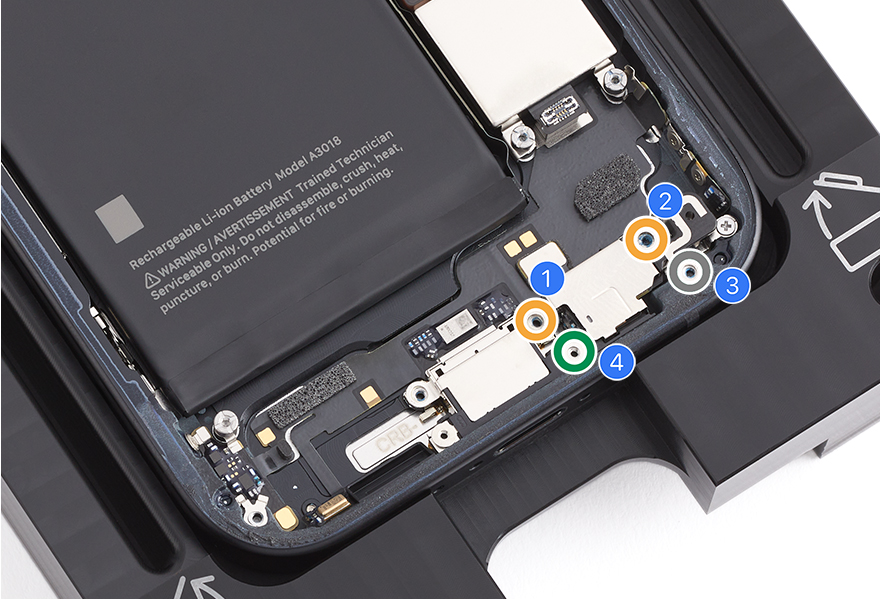
Use the orange torque driver and the super screw bit to install two new super screws (923-09824) (1) (923-09825) (2) into the main microphone. Count two clicks.
-
Use the gray torque driver and the JCIS bit to install one new crosshead screw (923-09813) (3). Count two clicks.
-
Use the green torque driver and the Micro stix bit to install one Micro stix screw (923-09819) (4). Count two clicks.
Reinstall the following parts to complete reassembly: