Apple iPhone 15 Pro Top Speaker
Before You Begin
Warning
Read Battery Safety and follow workspace and battery handling guidelines before you begin.
Remove the following parts before you begin:
Tools
-
6.1-inch repair tray
-
ESD-safe tweezers
-
JCIS bit
-
Nitrile or lint-free gloves
-
Nylon probe (black stick)
-
Super screw bit
-
Torque driver (blue, 0.65 kgf cm)
-
Torque driver (gray, 0.55 kgf cm)
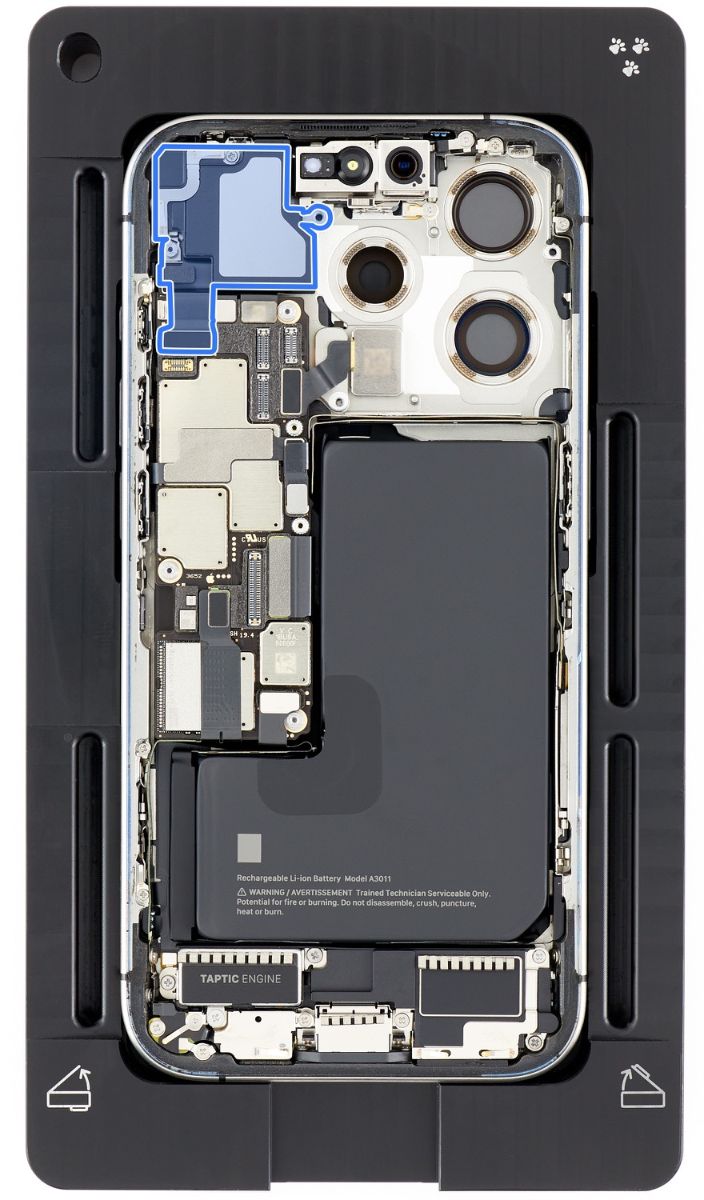
Caution
To avoid damaging the lenses, don’t touch the TrueDepth cameras or nearby parts.
Removal
-
Place the enclosure in the repair tray with the USB-C connector facing the cutout.
-
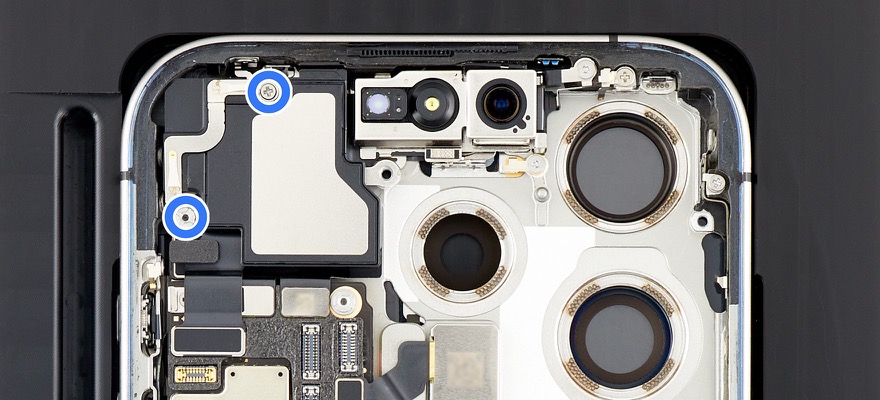
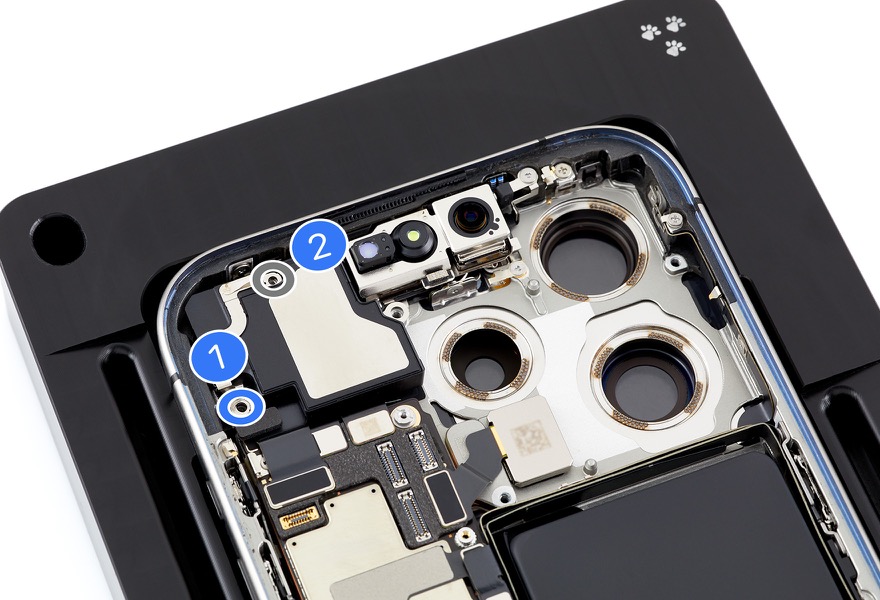
Use a torque driver and the JCIS bit to remove the crosshead screw (top) from the top speaker.
-
Use a torque driver and the super screw bit to remove the super screw (bottom left) from the top speaker.
-
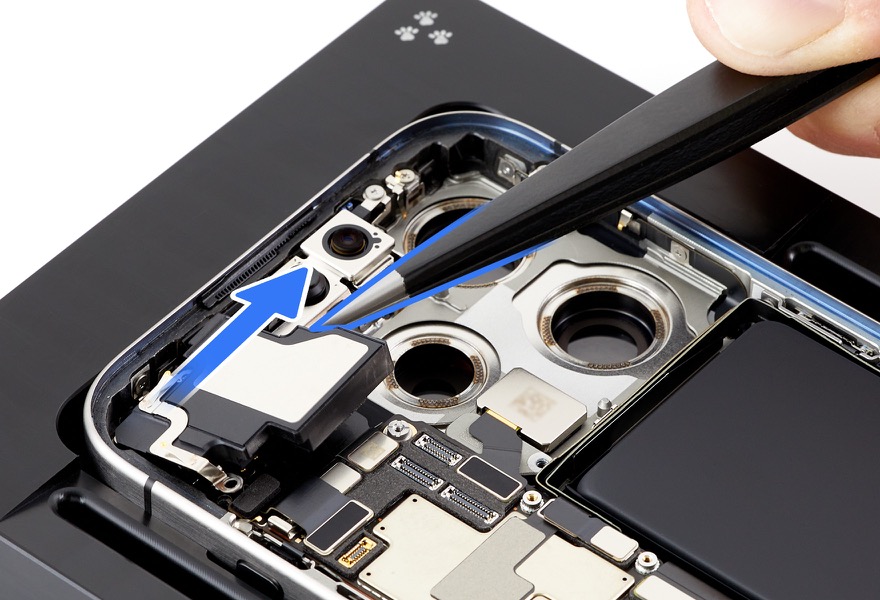
Use ESD-safe tweezers to lift the top speaker out of the enclosure.
Reassembly
-
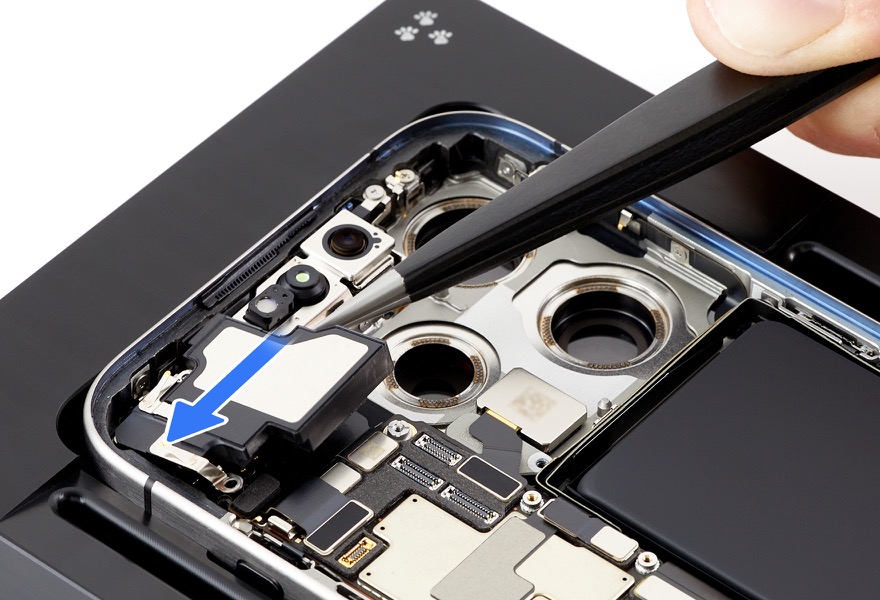
Use ESD-safe tweezers to position the top speaker in the enclosure.
-
Use the blue torque driver and super screw bit to install one new super screw (923-09571) (1) into the top speaker.
-
Use the gray torque driver and JCIS bit to install one new crosshead screw (923-09569) (2) into the top speaker.
Reinstall the following parts to complete reassembly: