Apple iPhone 16 Plus Top Speaker
Before You Begin
Warning
Read Battery Safety and follow workspace and battery handling guidelines before you begin.
Remove the following parts before you begin:
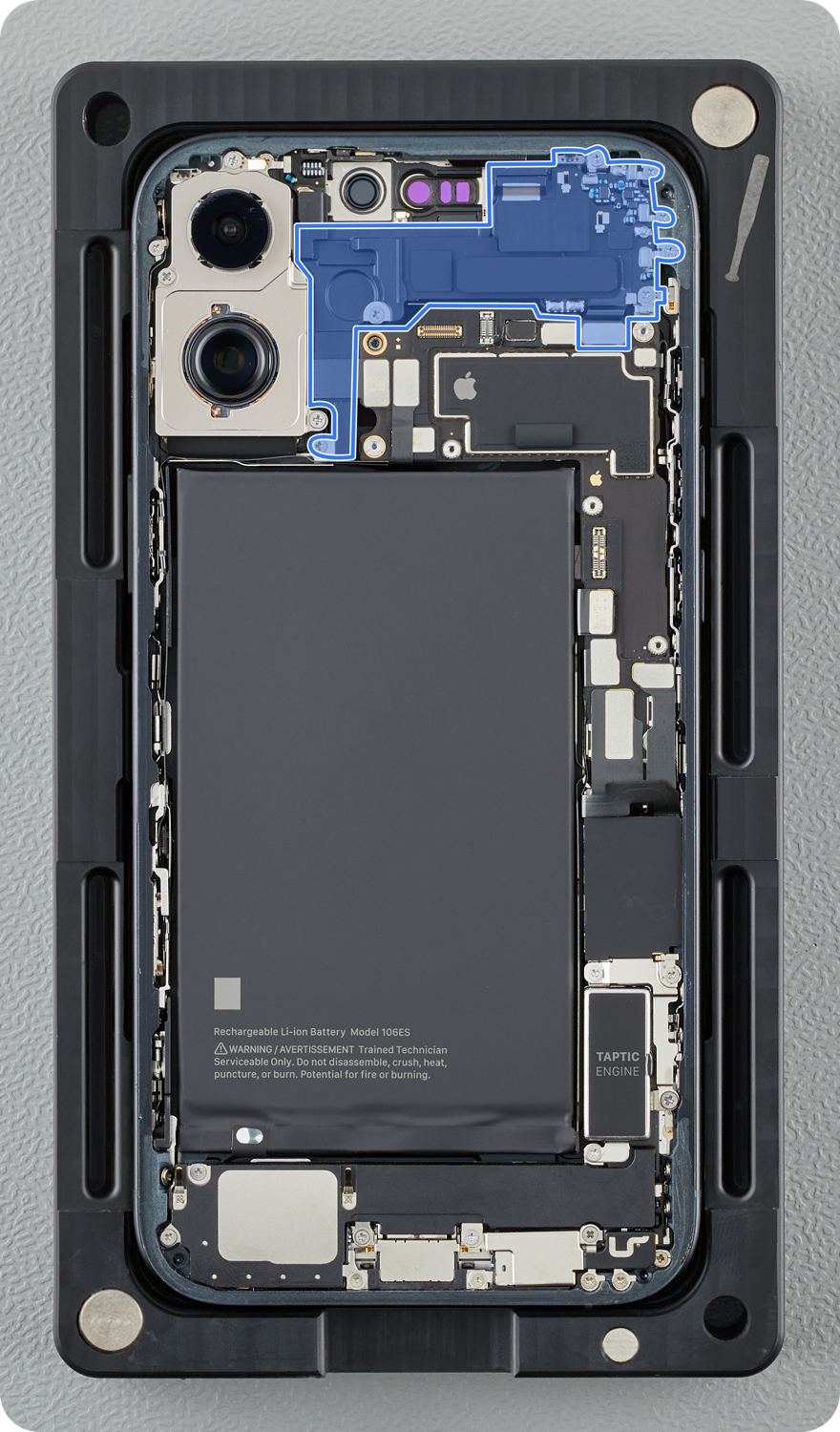
mmWave iPhone
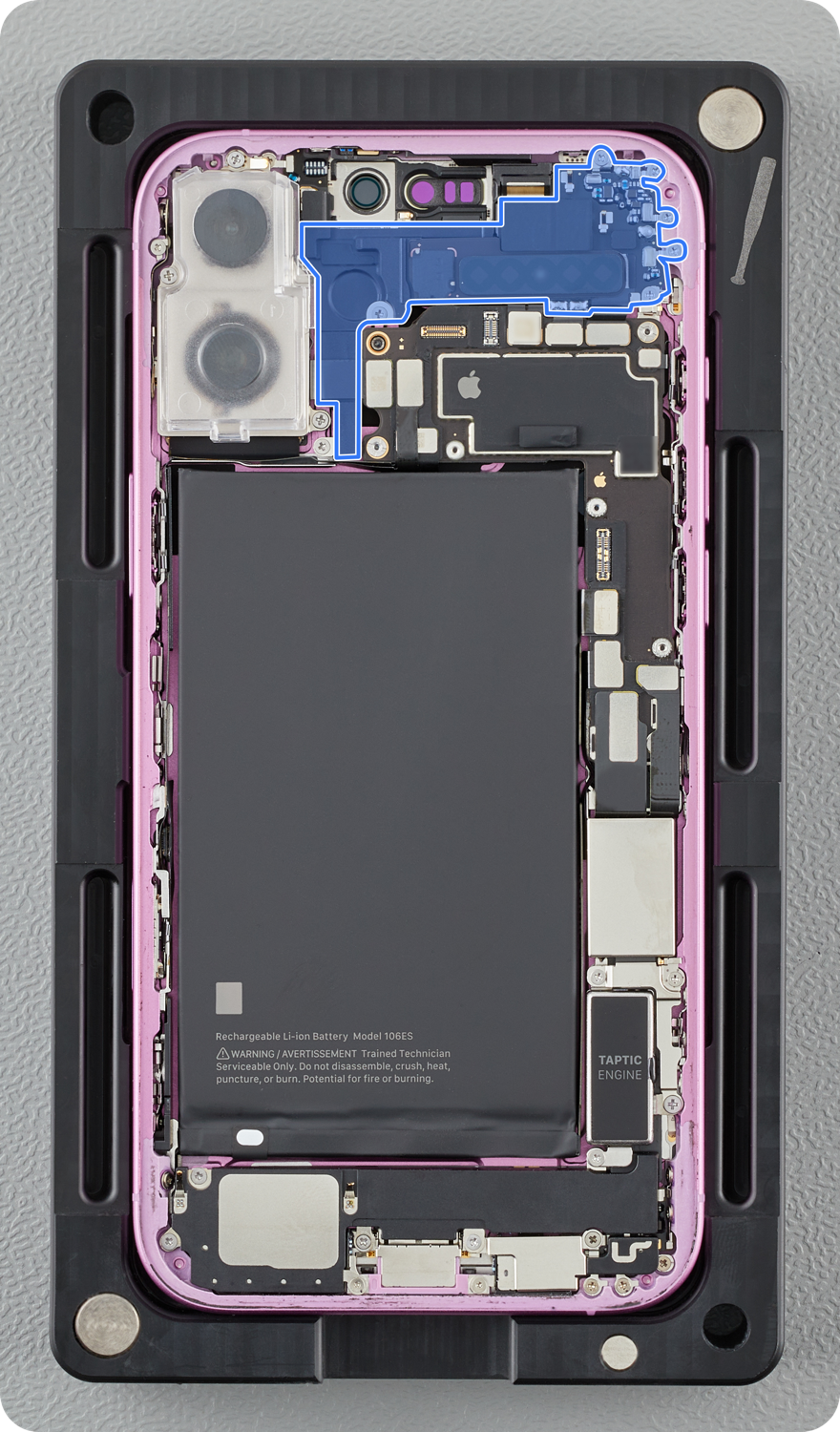
Non-mmWave iPhone
Tools
-
Torque driver (orange, 0.85 kgf cm) (923-08131)
-
Torque driver (blue, 0.65 kgf cm) (923-0448)
-
JCIS bit for fixed driver (923-0246)
-
Nylon probe (black stick) (922-5065)
-
ESD-safe tweezers
Refer to a full list of tools required for all repairs.
Removal
Note: If you’ve already completed the removal steps, skip to reassembly.
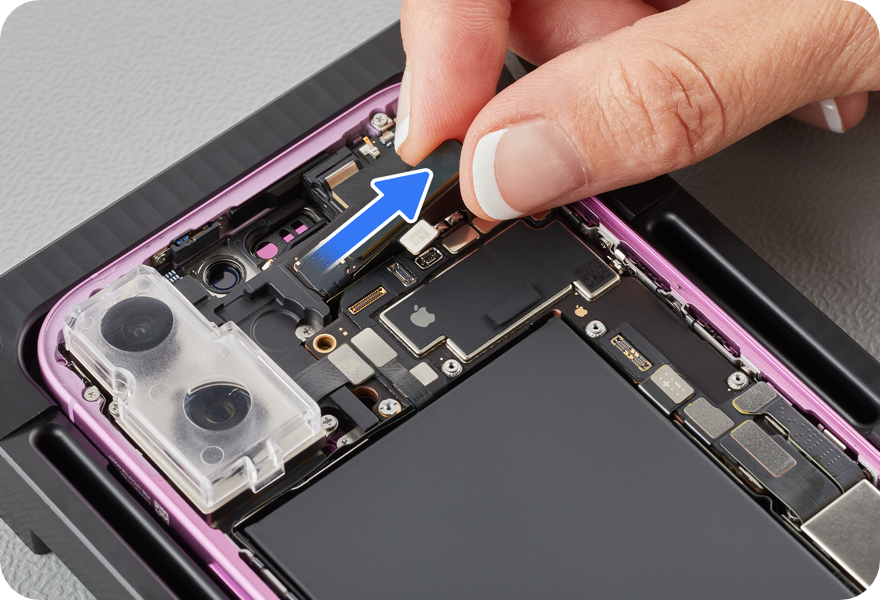
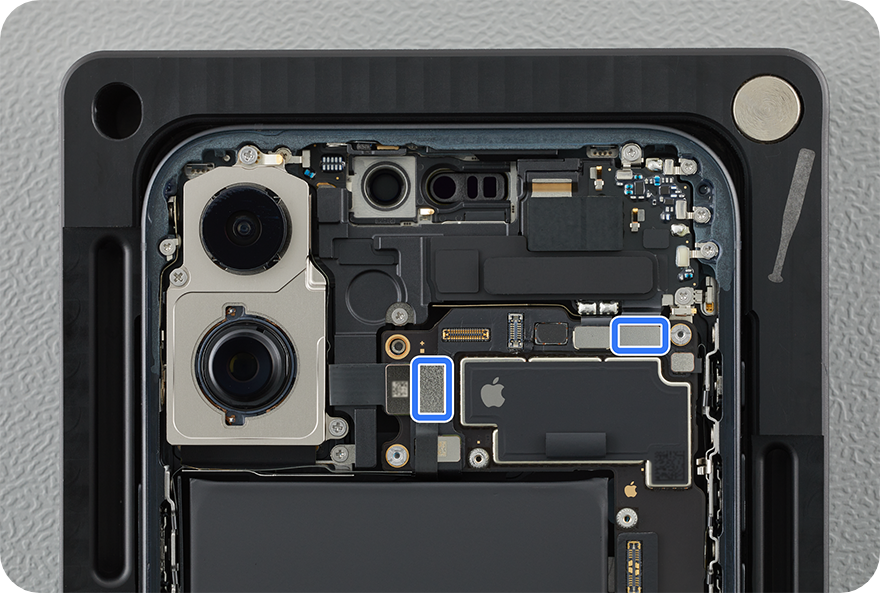
Note: The back glass 1 antenna (for mmWave models) or shim (for non-mmWave models) must be transferred to the replacement top speaker.
-
Use ESD-safe tweezers to grasp the adhesive tab on the bottom right edge of the back glass 1 antenna (for mmWave antenna models) or the shim (for non-mmWave antenna models) and begin to gently pull out the tab. To avoid breaking the adhesive, gently wiggle it side-to-side then twist the adhesive around the tweezers, then continue to pull and twist until the antenna (or shim) is free. Set the antenna or shim aside for reassembly.

-
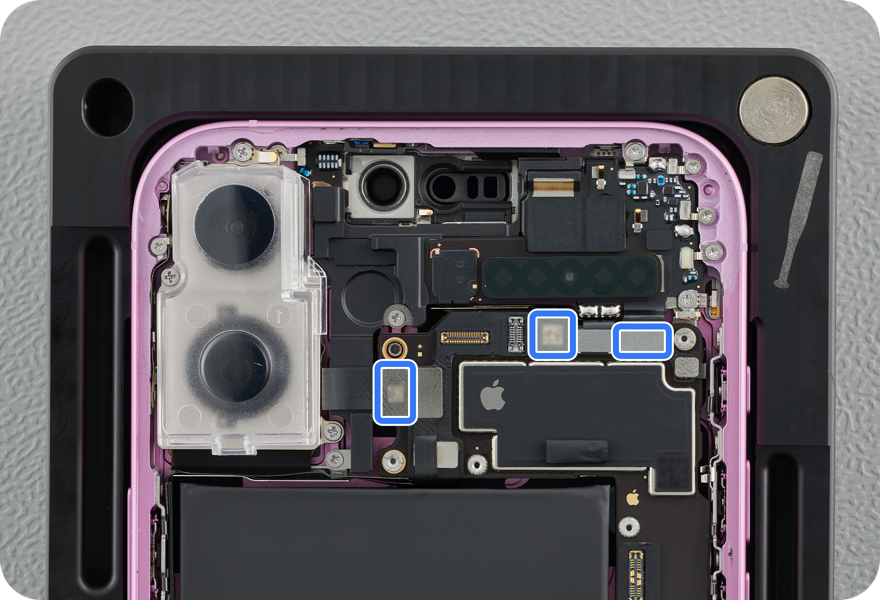
Lift the ends of the back glass 1 antenna flex cable, the camera flex cable, and the top speaker flex cable off the connectors.
-
Note: If the iPhone doesn't have an mmWave antenna, lift the ends of the camera flex cable and top speaker flex cable off the connectors.
-
-
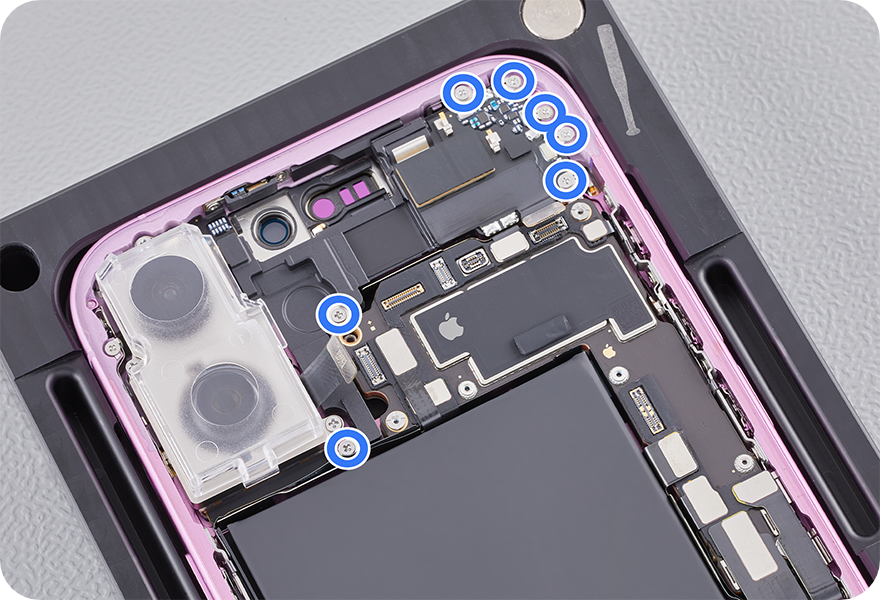
Use a torque driver and the JCIS bit to remove the seven crosshead screws from the top speaker. Set aside the screws.
-
Remove the top speaker from the enclosure.
Reassembly
-
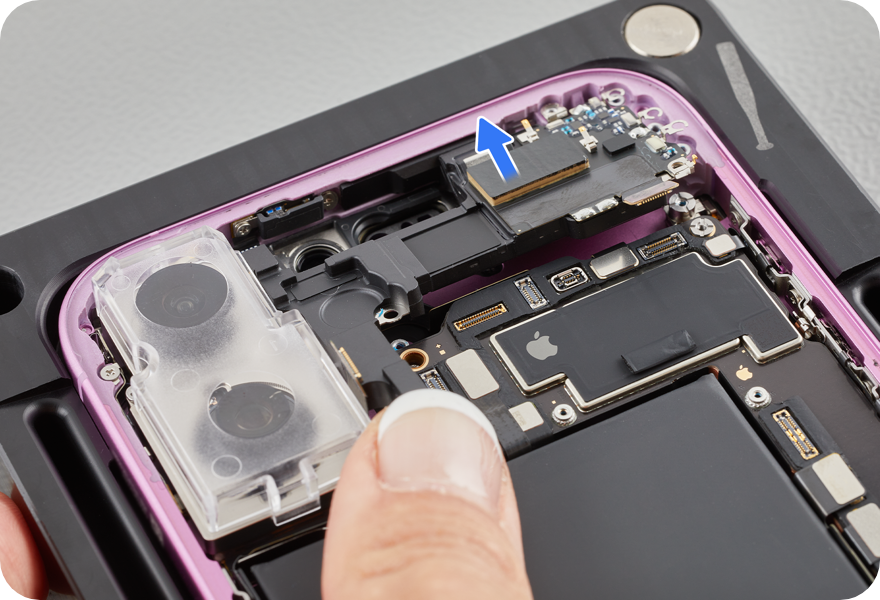
Position the replacement top speaker in the enclosure.
-
Press the ends of the top speaker flex cable and the camera flex cable to the connectors.
-
Use the orange torque driver and JCIS bit to install the following three new crosshead screws into the top speaker:
-
Two crosshead screws (923-11185) (1)
-
One crosshead screw (923-11207) (2)
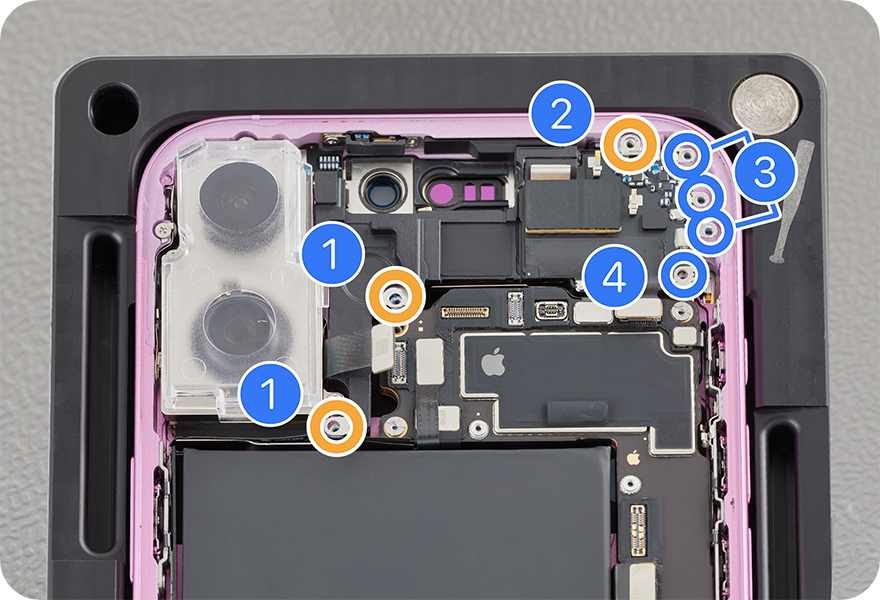
-
-
Use the blue torque driver and JCIS bit to install the following four new crosshead screws into the top speaker:
-
Three crosshead screws (923-11182) (3)
-
One crosshead screw (923-11201) (4)
-
-
Use ESD-safe tweezers to clean the adhesive off of the back glass 1 antenna or shim.
-
Caution: If the back glass 1 antenna is damaged, stop the repair and replace the iPhone.
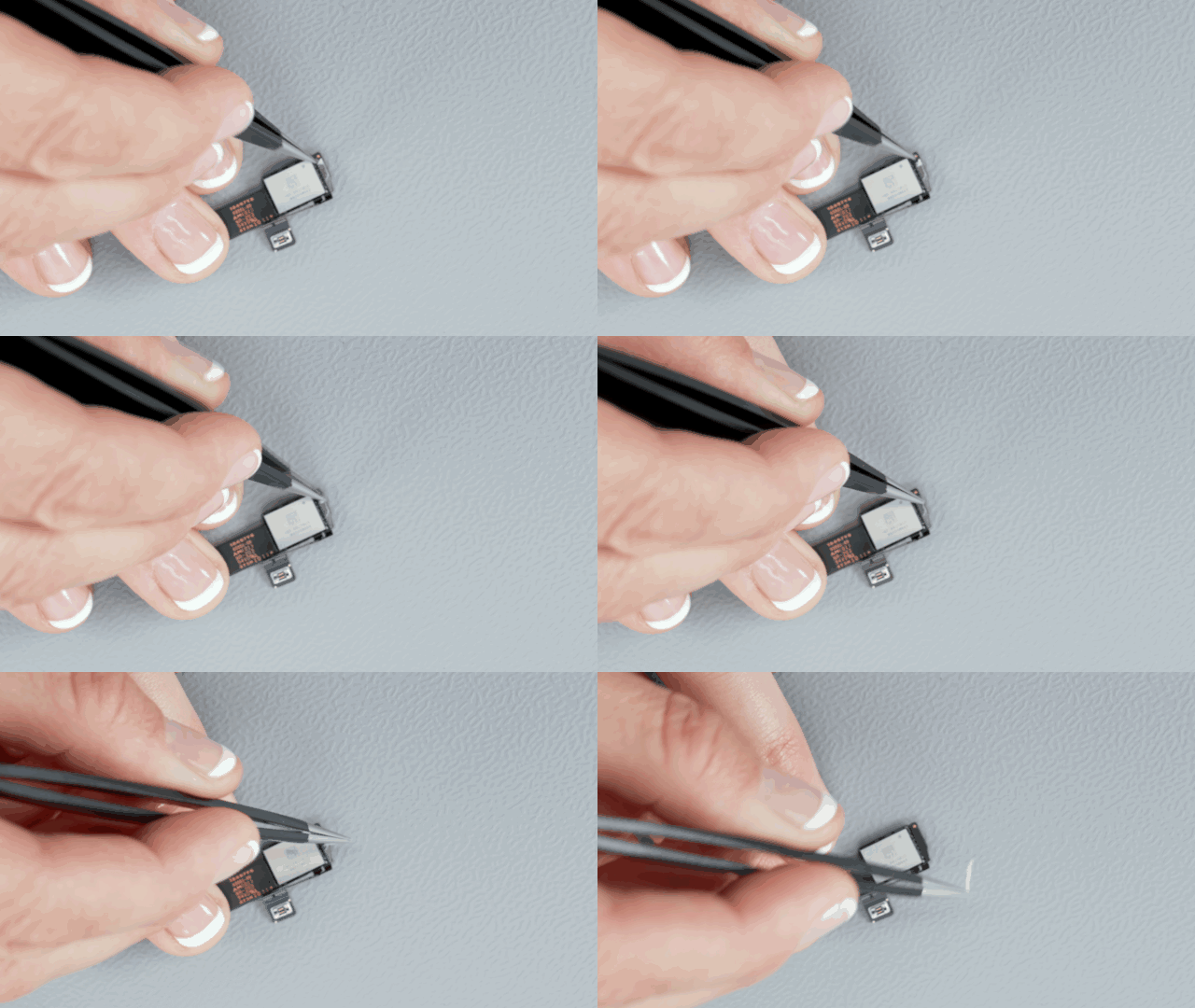
-
-
If present, peel the liner from the adhesive on the replacement top speaker.
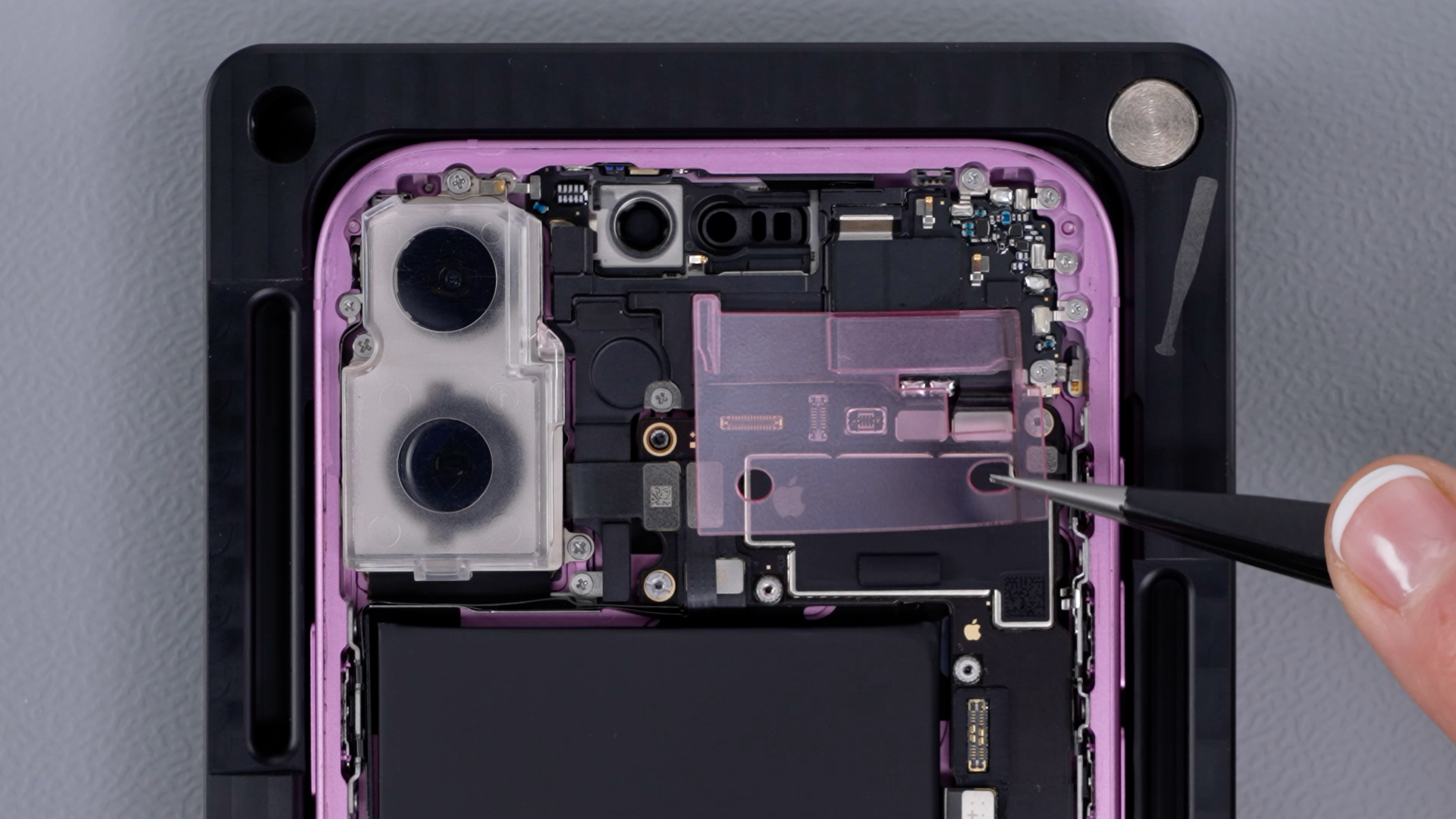
-
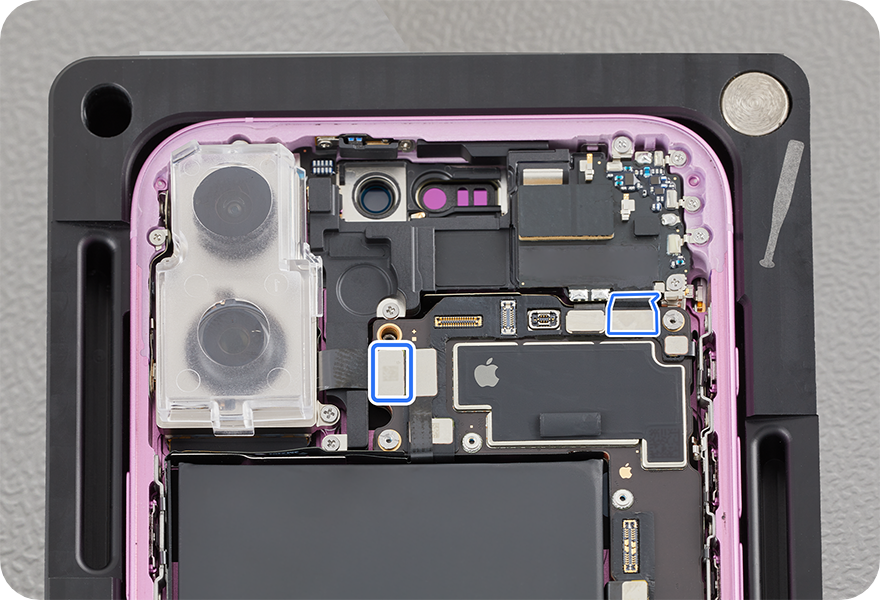
Position the black glass 1 antenna or shim by biasing it toward the left as shown below.
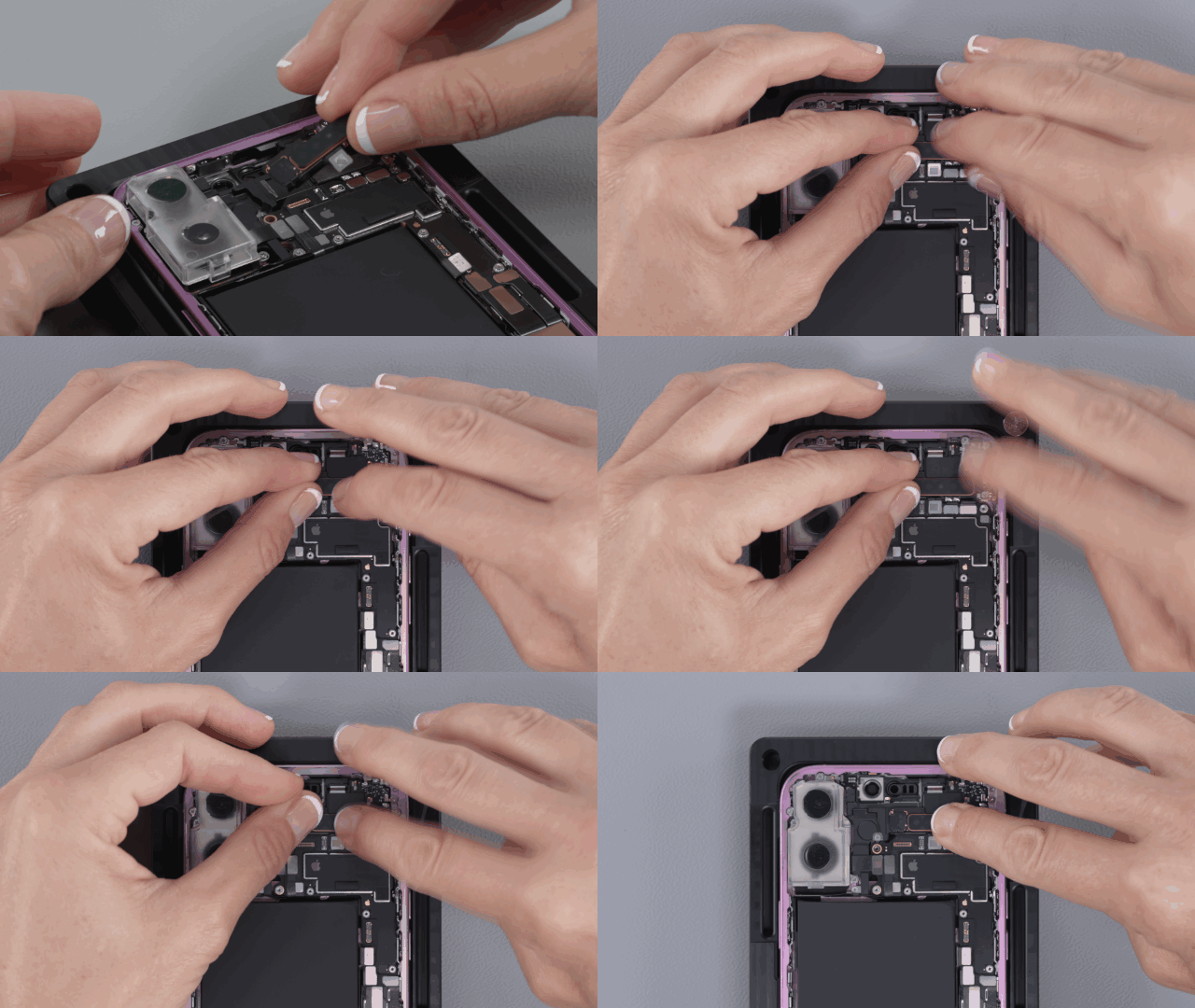
-
For mmWave models, press the end of the back glass 1 antenna flex cable to the connector.
-
Finally, press the back glass 1 antenna or shim to the top speaker for 15 seconds.
Reinstall the following parts to complete reassembly: