Apple iPhone 16 Pro Bottom Speaker
Before You Begin
Warning
Read Battery Safety and follow workspace and battery handling guidelines before you begin.
Remove the following parts before you begin:
Tools
-
Torque driver (orange, 0.85 kgf cm) (923-08131)
-
Torque driver (green, 0.45 kgf cm) (923-00105)
-
JCIS bit for fixed driver (923-0246)
-
Micro stix bit (923-01290)
-
ESD-safe tweezers
-
Nylon probe (black stick) (922-5065)
Refer to a full list of tools required for all repairs.
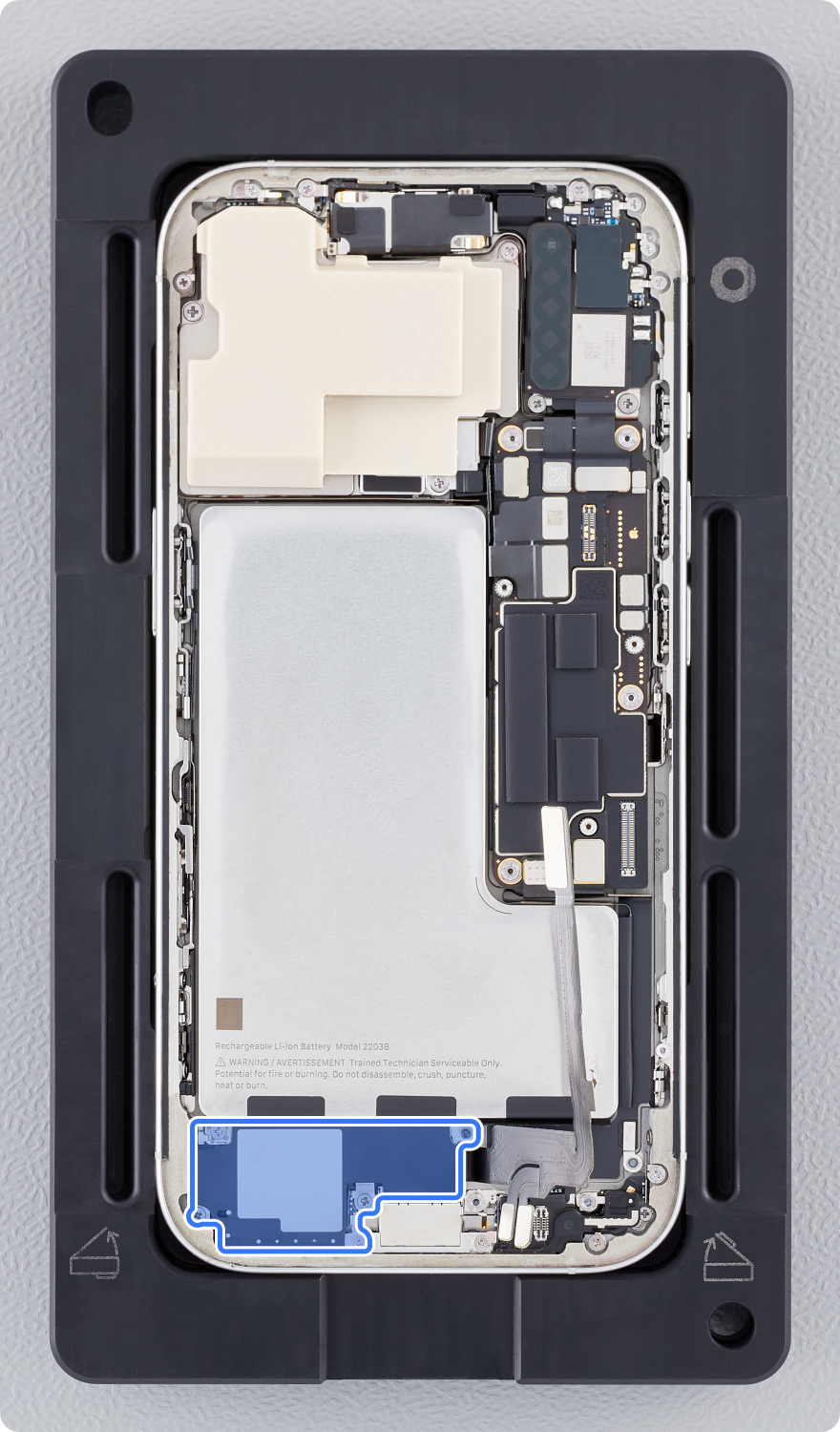
Caution
Avoid touching the grounding springs on and near the bottom speaker.
Removal
Note: If you’ve already completed the removal steps, skip to reassembly.
-
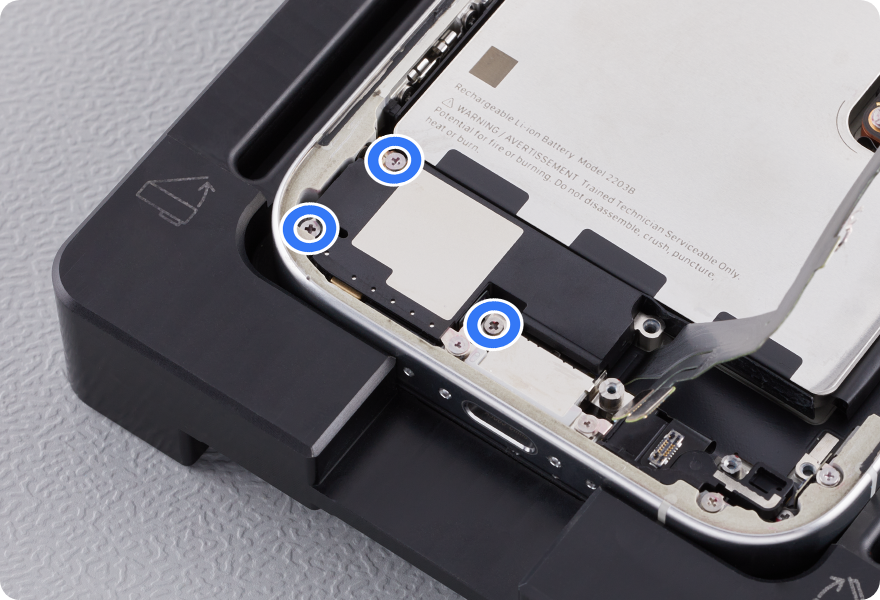
Use a torque driver and the JCIS bit to remove the three crosshead screws from the bottom speaker. Set aside the screws.
-
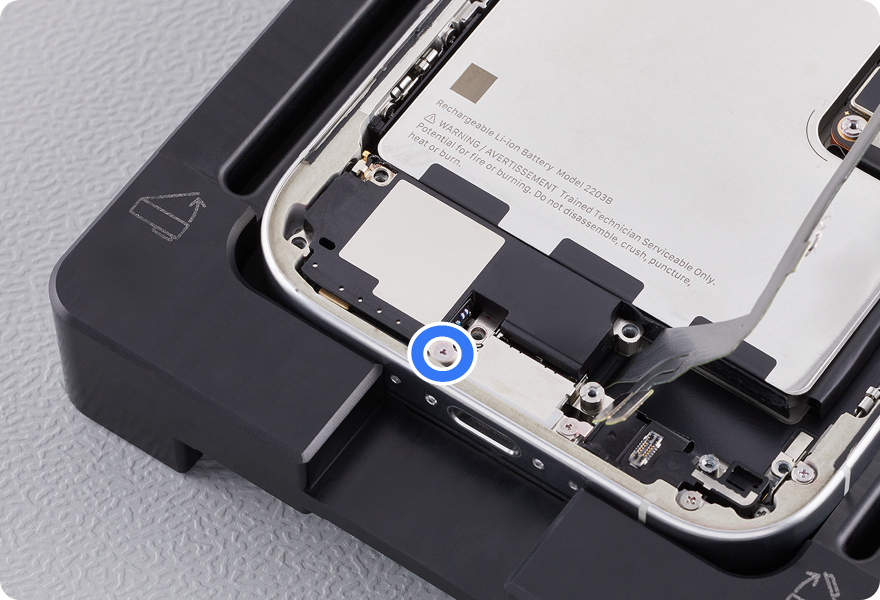
Use a torque driver and the Micro stix bit to remove the trilobe screw from the bottom speaker. Set aside the screw.
-
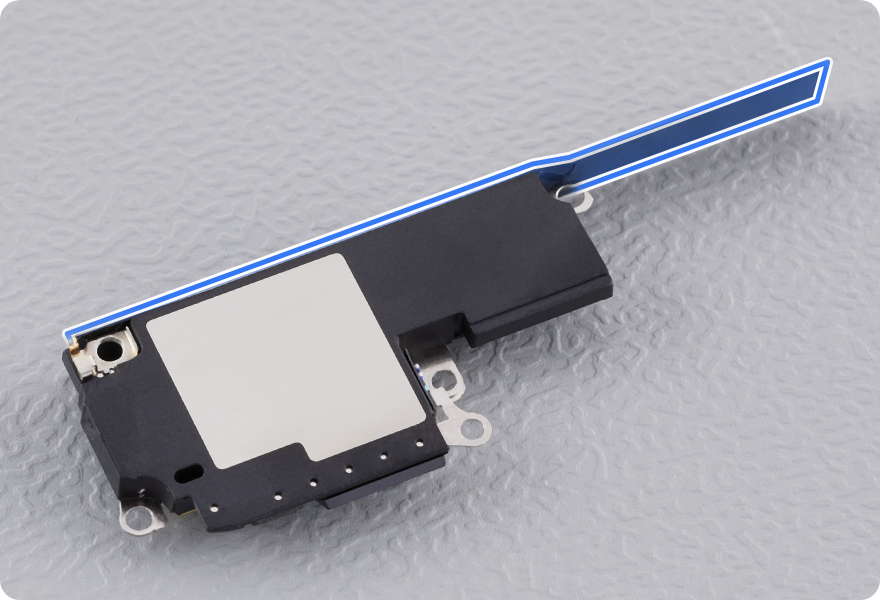
Remove the bottom speaker from the enclosure. The battery shim remains on the bottom speaker.
-
Caution
-
Don’t damage the grounding spring on the bottom speaker.
-
-
Reassembly
-
Transfer the battery shim to the new bottom speaker.
-
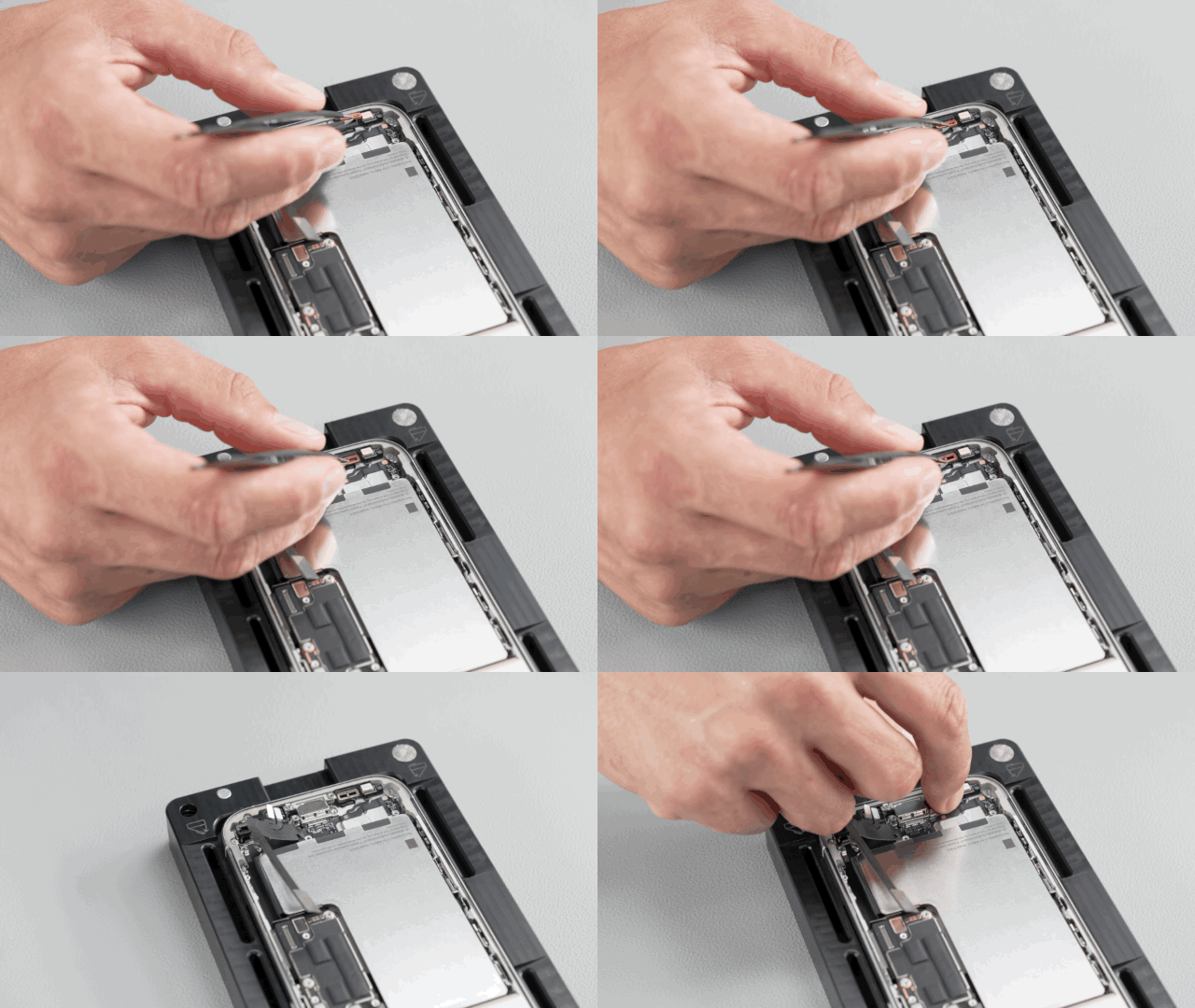
Ensure that the rubber gasket is positioned as shown. If the gasket is out of position, use ESD-safe tweezers to reposition it.
-
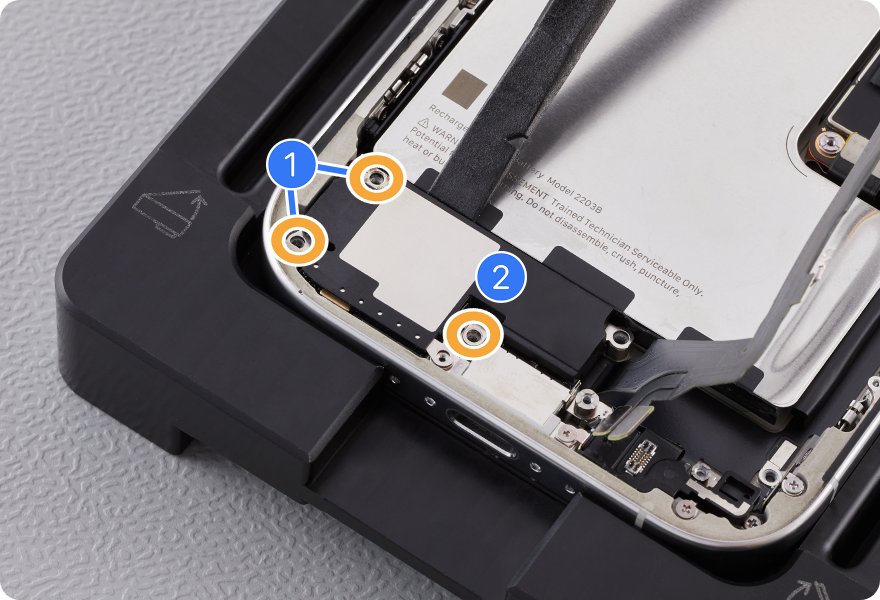
Use the orange torque driver and the JCIS bit to install three new crosshead screws into the bottom speaker:
-
Two crosshead screws (923-11135) (1)
-
One crosshead screw (923-11136) (2)
-
-
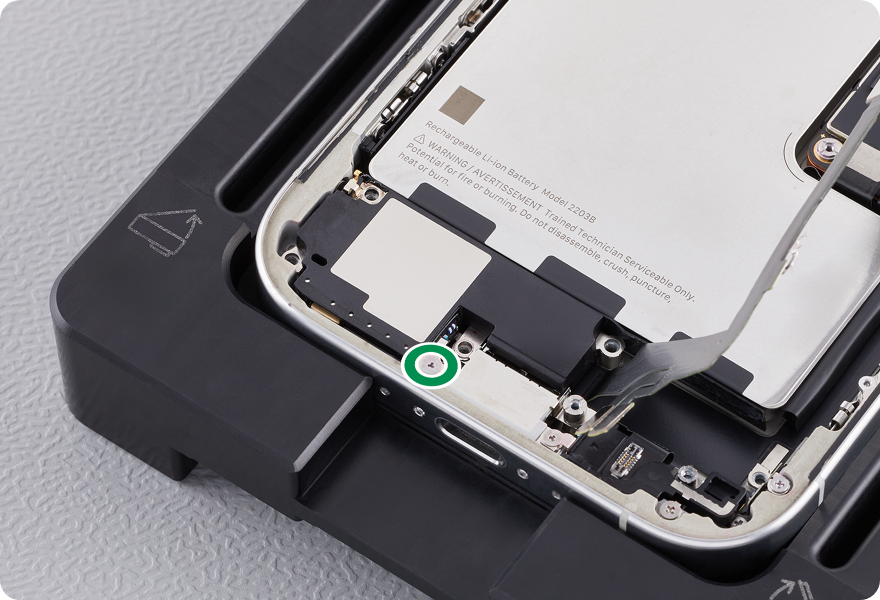
Use the green torque driver and Micro stix bit to install one new trilobe screw (923-11137) into the bottom speaker.
-
Caution: Don’t damage the grounding springs on the bottom speaker.
-
Reinstall the following parts to complete reassembly: