Apple iPhone 17 Pro Max Main Microphone
Before You Begin
Warning
Read Battery Safety and follow workspace and battery handling guidelines before you begin.
Tools
-
Adjustable torque driver (10–34 Ncm)
-
ESD-safe tweezers
-
Crosshead 44 mm half-moon bit
-
Crosshead 50 mm bit
-
Nylon probe (black stick)
-
Super screw 44 mm half-moon bit
-
Torque driver (blue, 0.65 kgf cm)
-
Torque driver (orange, 0.85 kgf cm)
-
Torx Plus 4IP 25 mm bit (for models with a physical SIM)
Refer to a full list of tools required for all repairs.
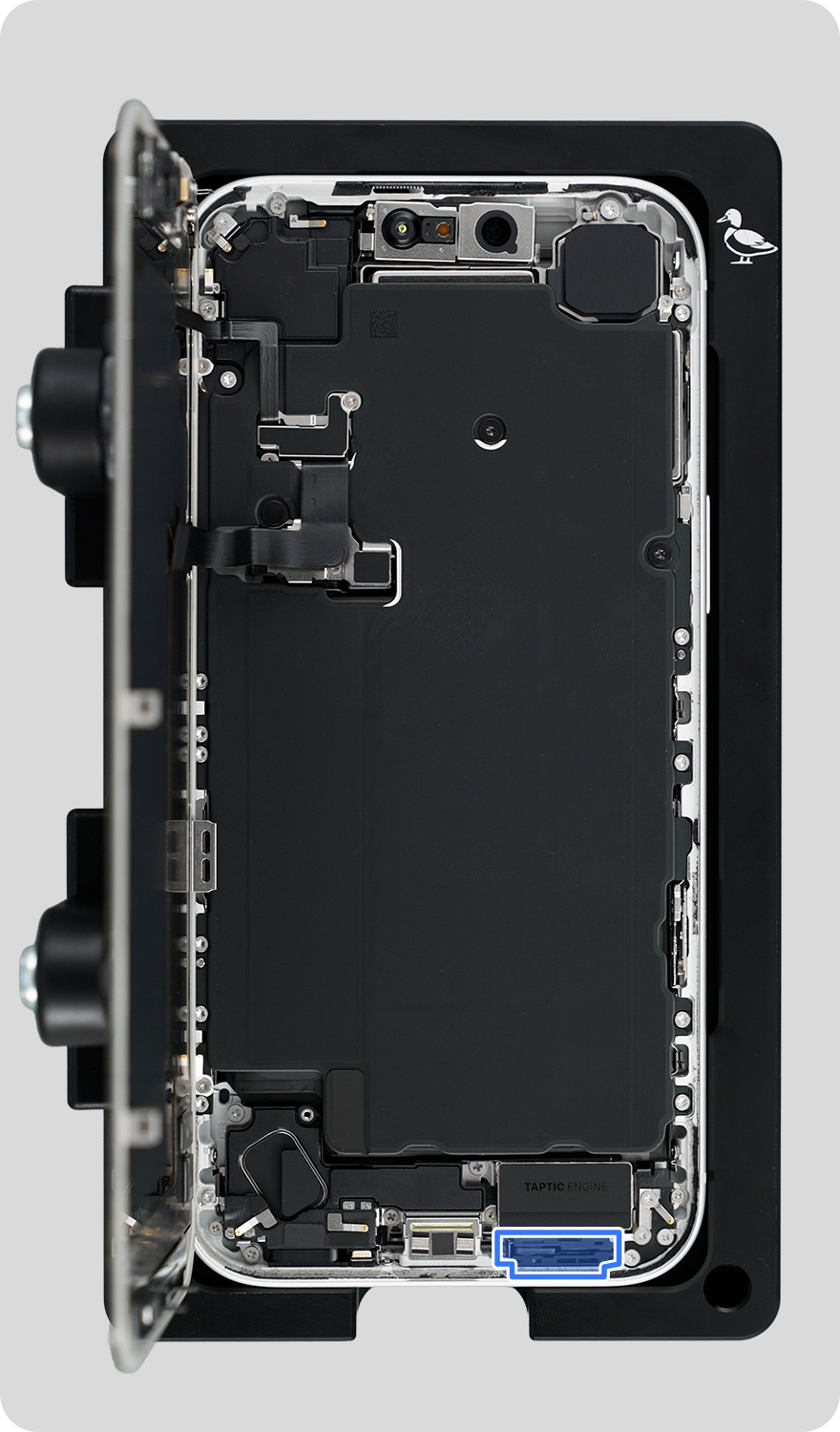
Removal
Note: If you’ve already completed the removal steps, skip to reassembly.
Important
Complete display removal steps 1 through 5. Then continue to step 1.
-
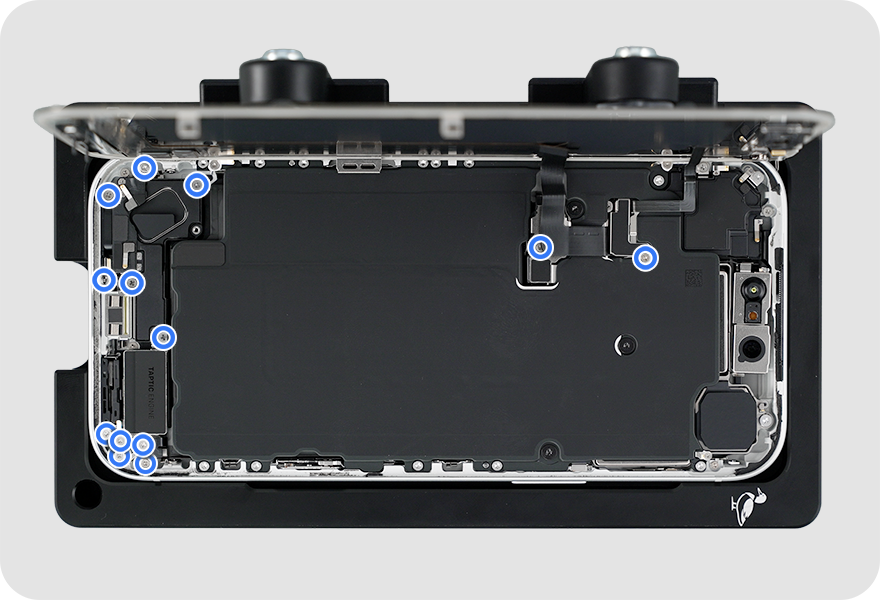
Use a torque driver and crosshead bit to remove the 13 crosshead screws. Then complete the entire step before continuing to the next step.
-
Note: The screw closest to the USB-C connector is located on the sidewall of the enclosure.
-
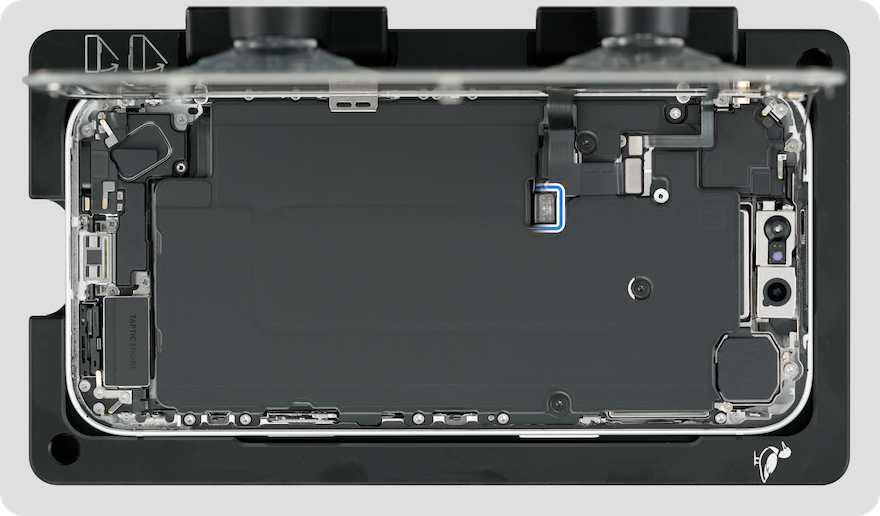
Remove the battery connector cowling and display connector cowling. Save the cowlings for reassembly.


-
Lift the end of the battery flex cable off the connector.
-
Caution: You must disconnect the battery flex cable first to ensure that the iPhone stays turned off.
-
-
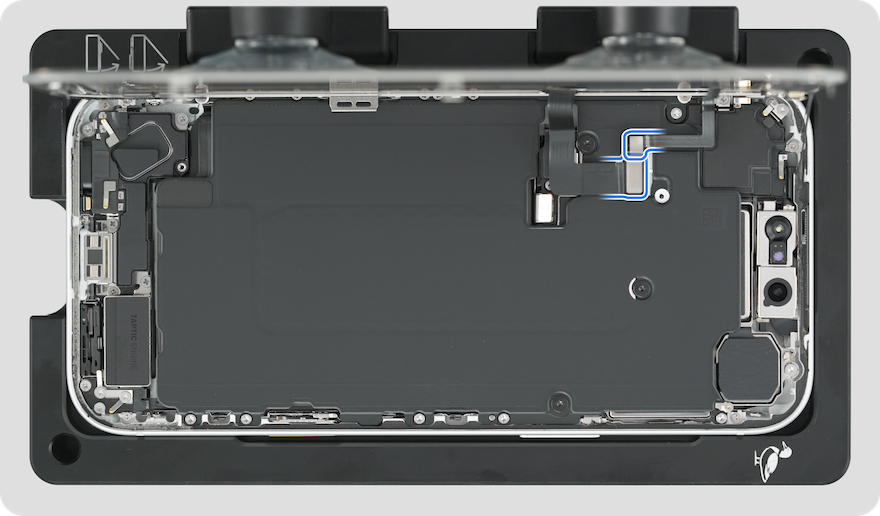
Lift the ends of the display flex cable and ambient light sensor flex cable from the connectors.
-
Remove the grounding spring from the Taptic Engine. Save the grounding spring for reassembly.
-
Important: Note the orientation of the grounding spring.
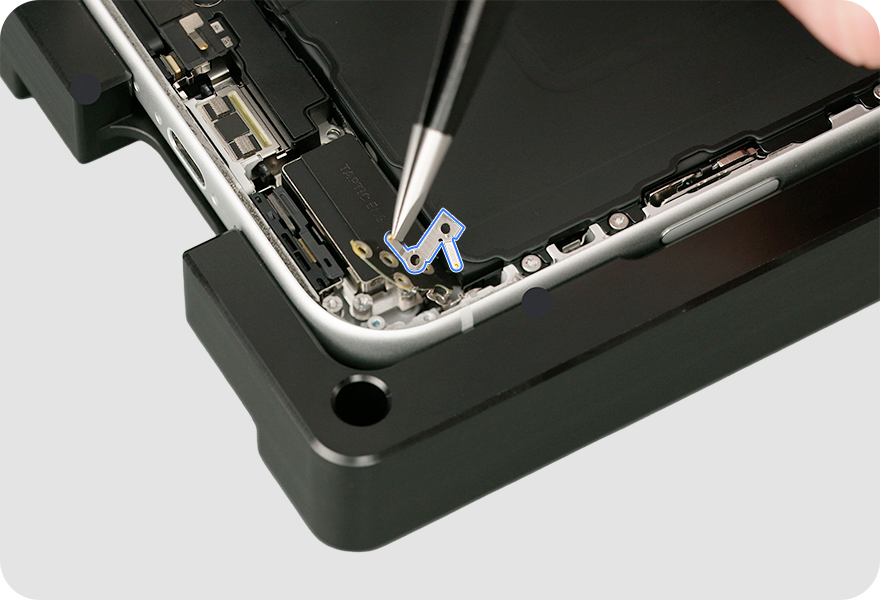
-
-
Hold the display by the edges. Pull the tabs on the suction cups to release them from the display. Then set the display facedown on a clean, flat surface.
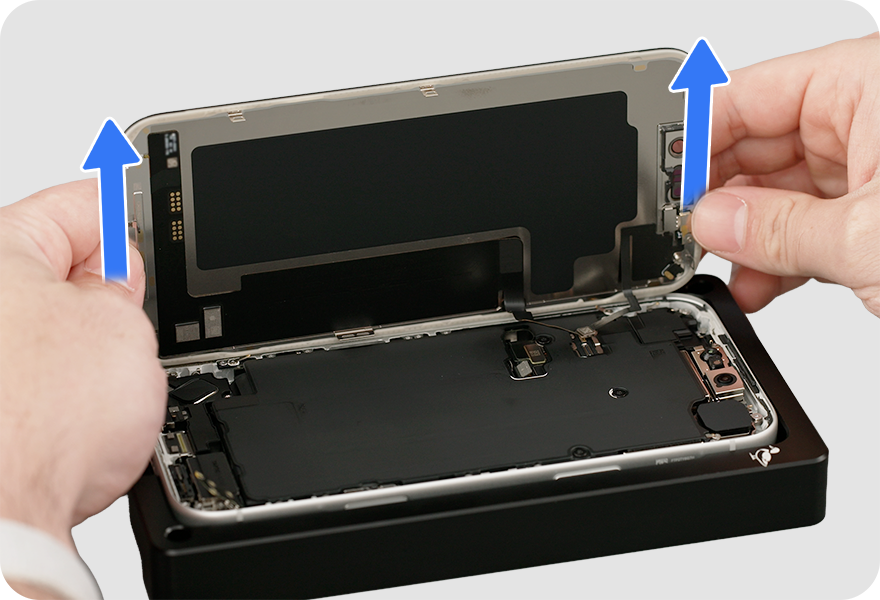
-
-
For models with eSIM, skip to step 4. For models with a physical SIM, remove the SIM tray. Then complete all remaining steps.
-
Use the adjustable torque driver and Torx Plus 4IP bit to remove fourteen 4IP screws from the battery plate in the order shown.
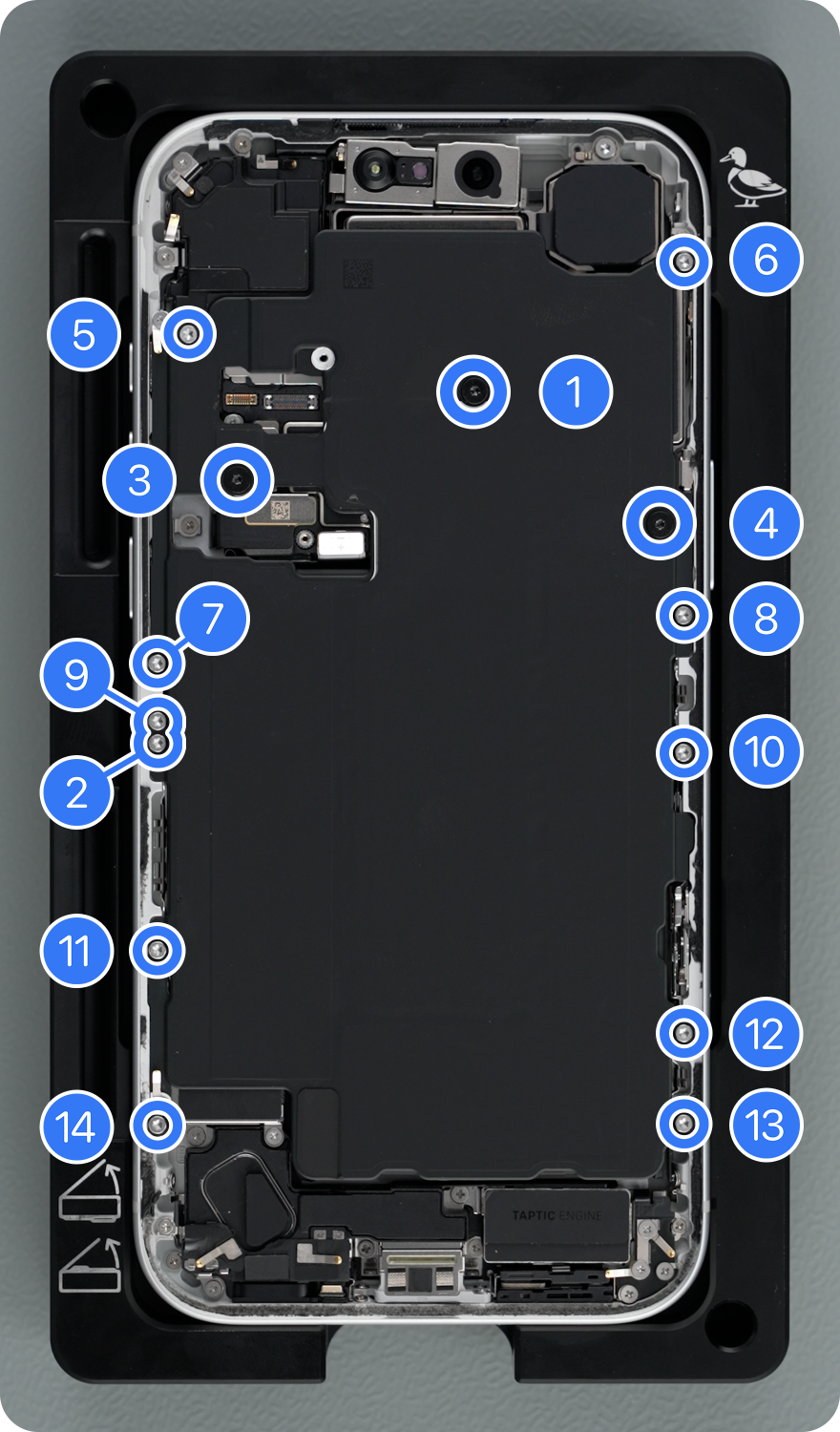
-
Lift the battery from the enclosure.
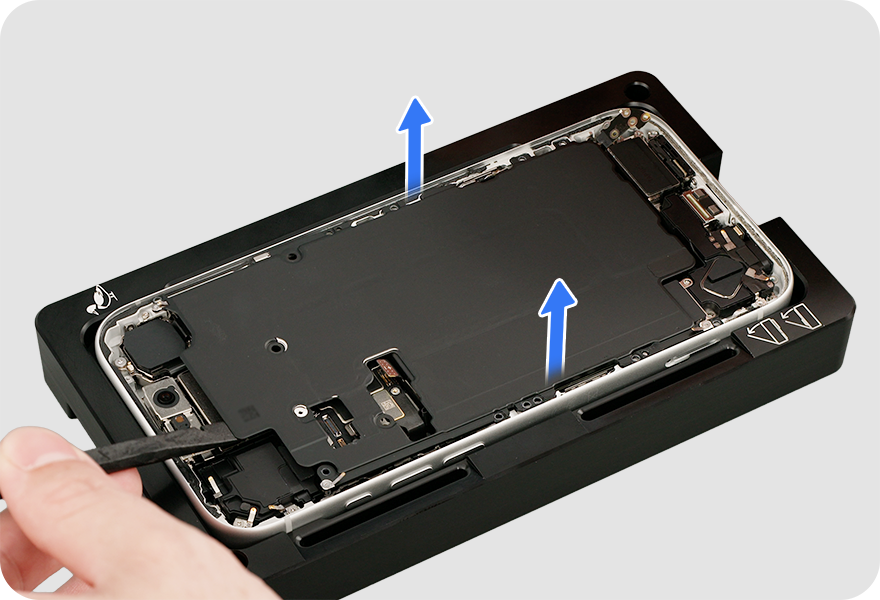
-
-
Use a torque driver and crosshead bit to remove two crosshead screws from the SIM assembly. Then complete the entire step before continuing to the next step.
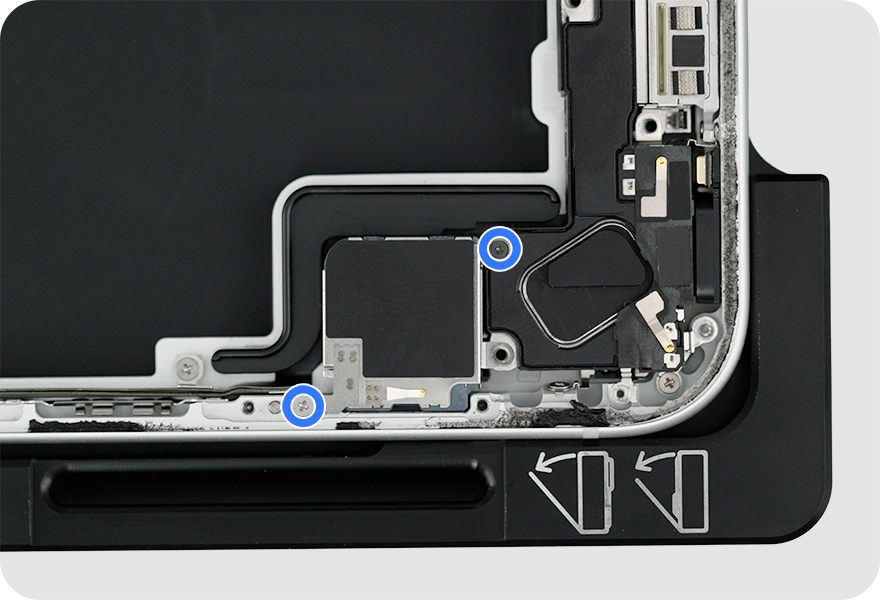
-
Tilt up the SIM assembly to access the flex cable underneath.
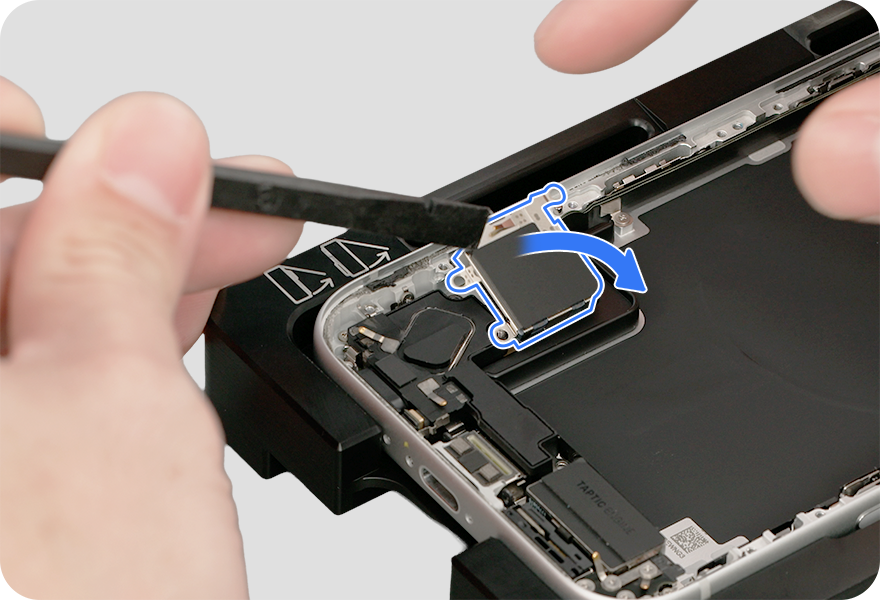
-
Lift the end of the SIM assembly flex cable from the connector. Remove the SIM assembly and save it for reassembly.
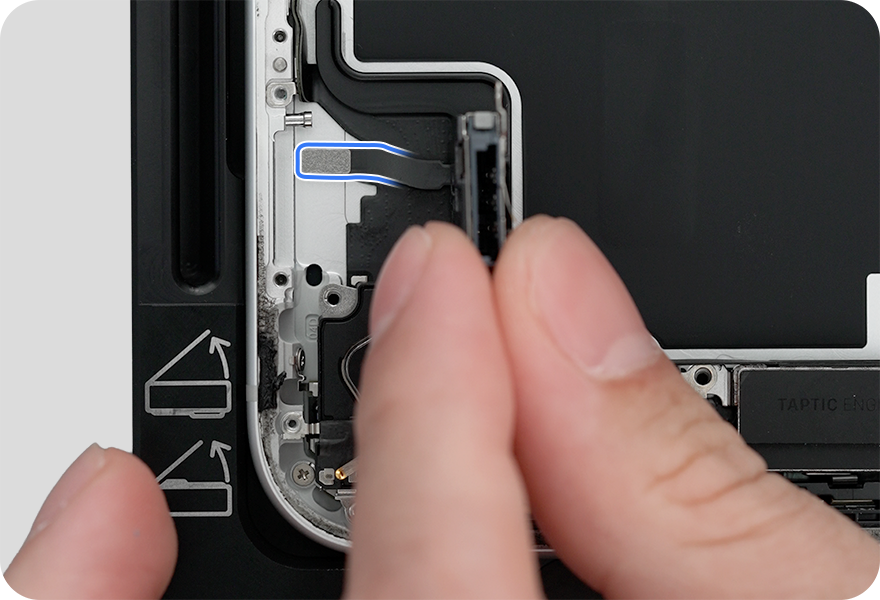
-
-
Use a black stick to separate the Taptic Engine battery shim from the bottom speaker. Then complete the entire step before continuing to the next step.
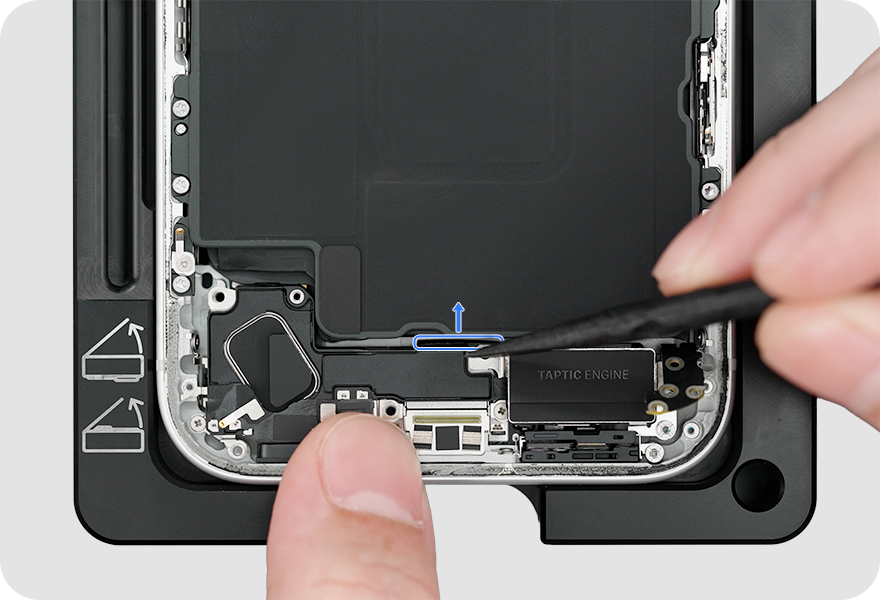
-
Gently lift the bottom speaker out of the enclosure.

-
Caution: Don’t damage the grounding springs on the bottom speaker.
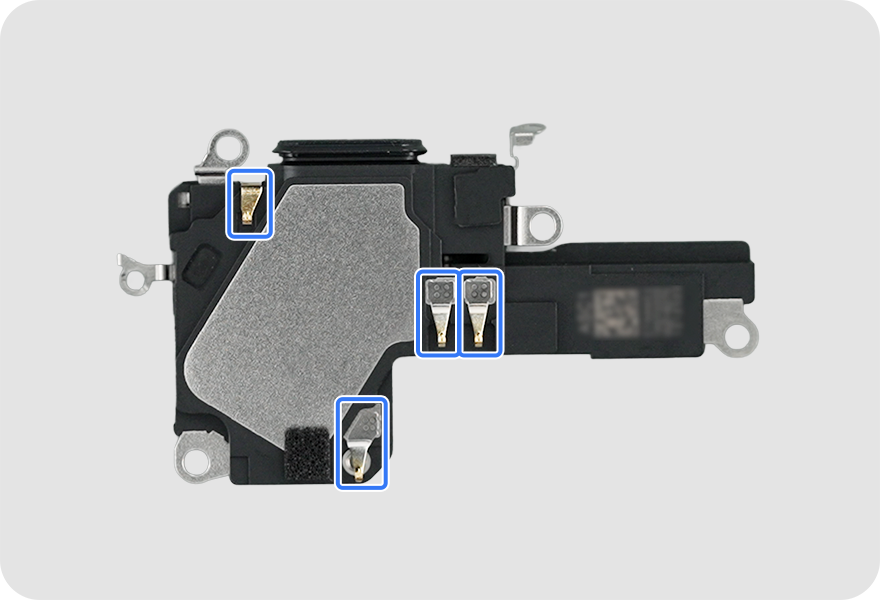
-
-
Gently fold back the USB-C connector flex cable 90 degrees to access three super screws. Then complete the entire step before continuing to the next step.
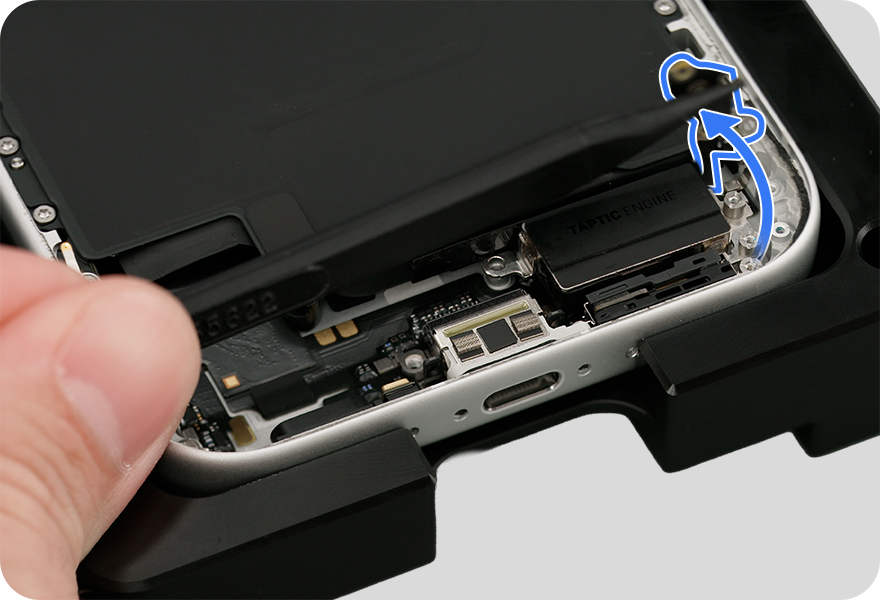
-
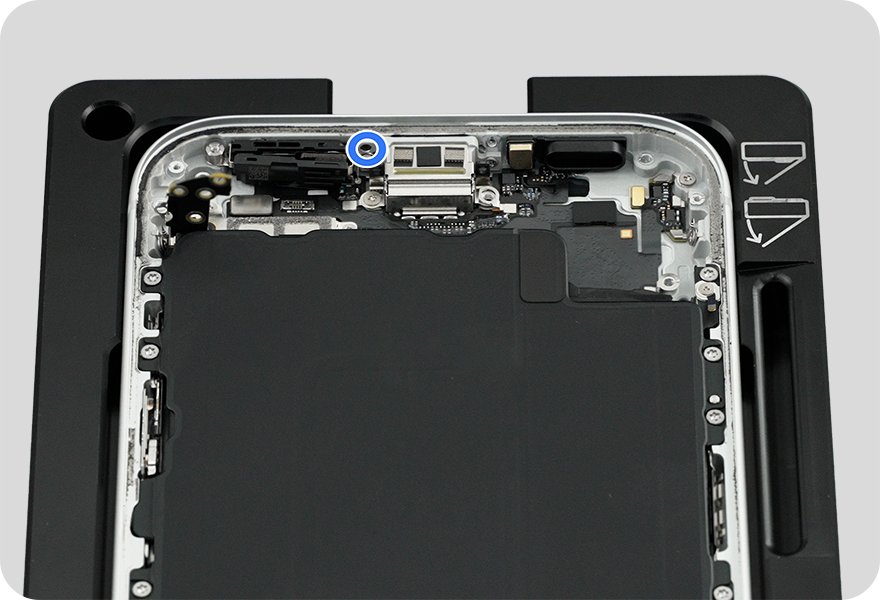
Use a torque driver and super screw bit to remove the two super screws from the Taptic Engine and one super screw from the main microphone.
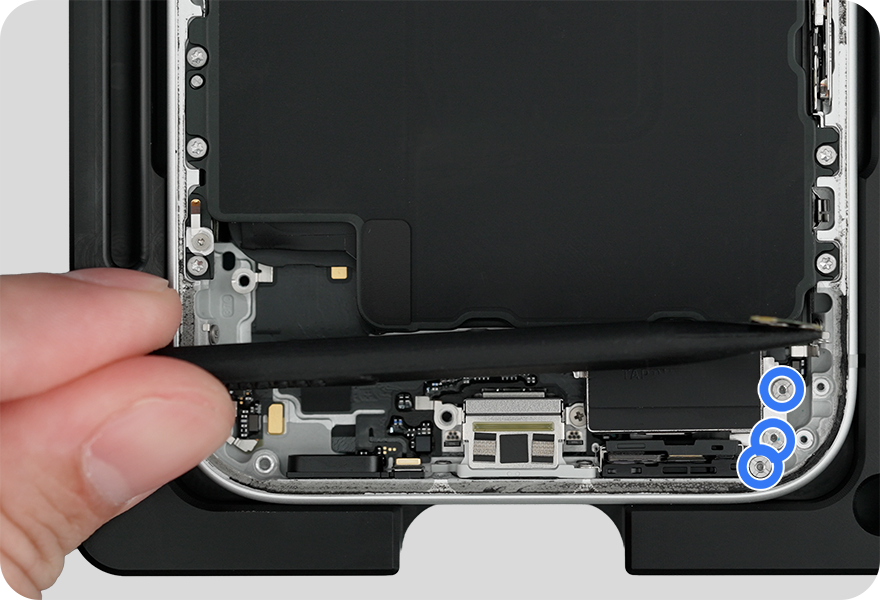
-
Gently tilt up the Taptic Engine to access the flex cable underneath.

-
Lift the end of the Taptic Engine flex cable from the connector and remove the Taptic Engine from the enclosure.
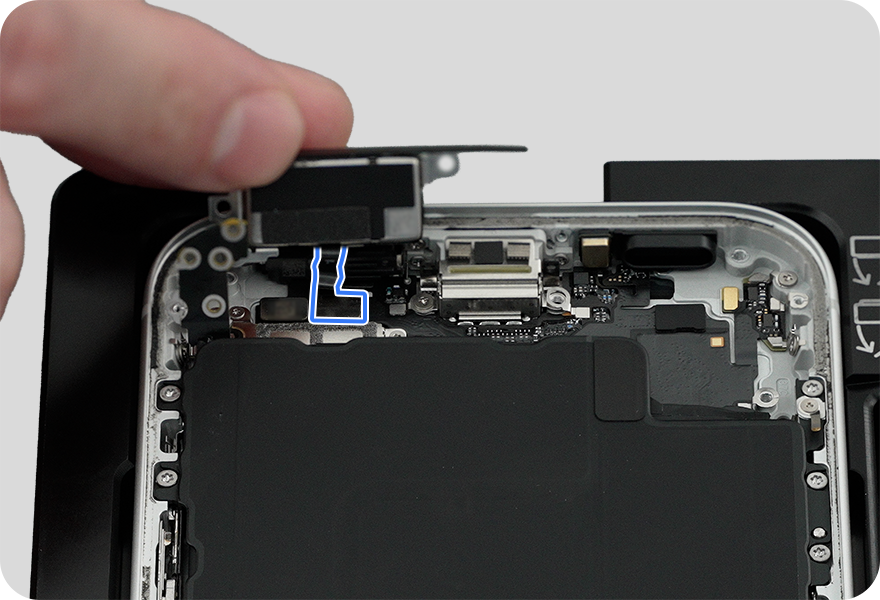
-
-
Use a torque driver and crosshead bit to remove one crosshead screw from the main microphone. Then complete the entire step.
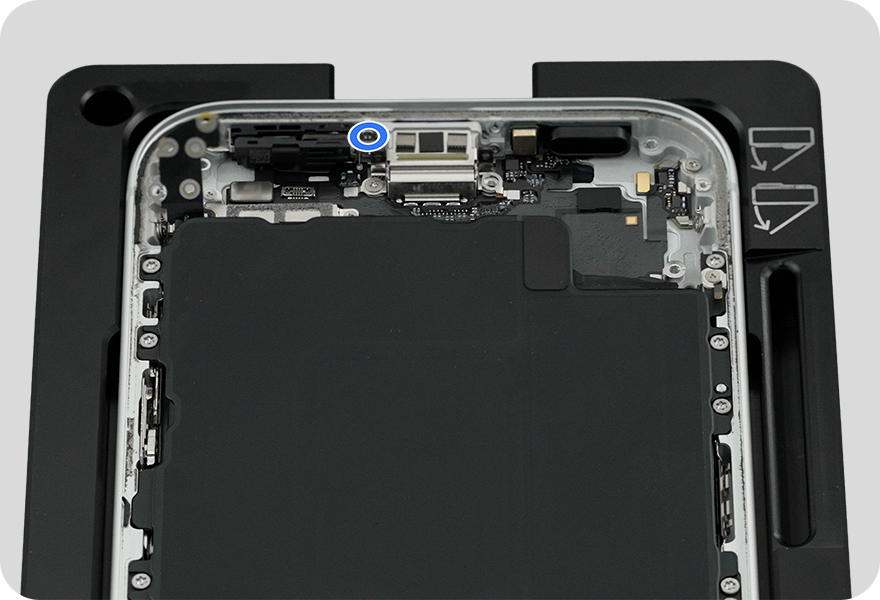
-
Lift the end of the main microphone flex cable from the connector.
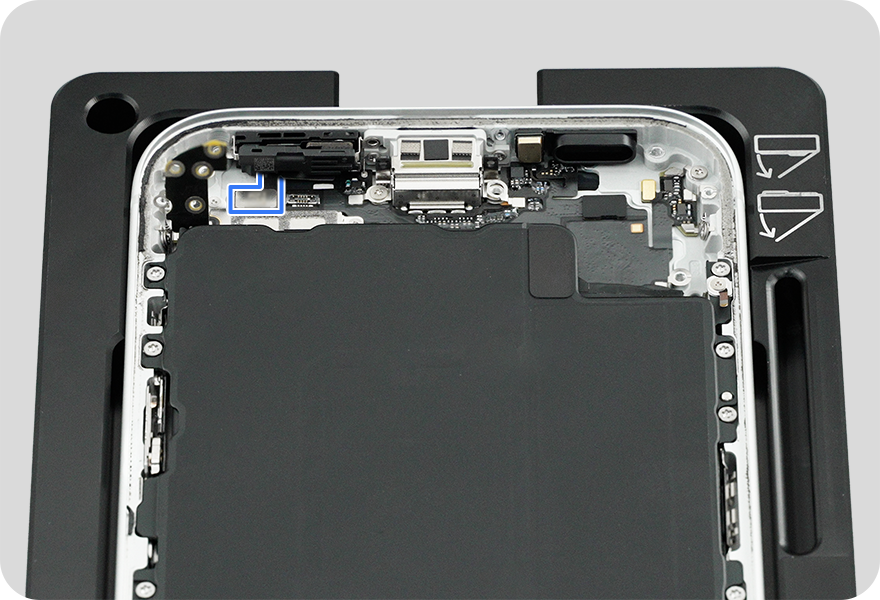
-
Break the adhesive between the main microphone and enclosure as shown below.
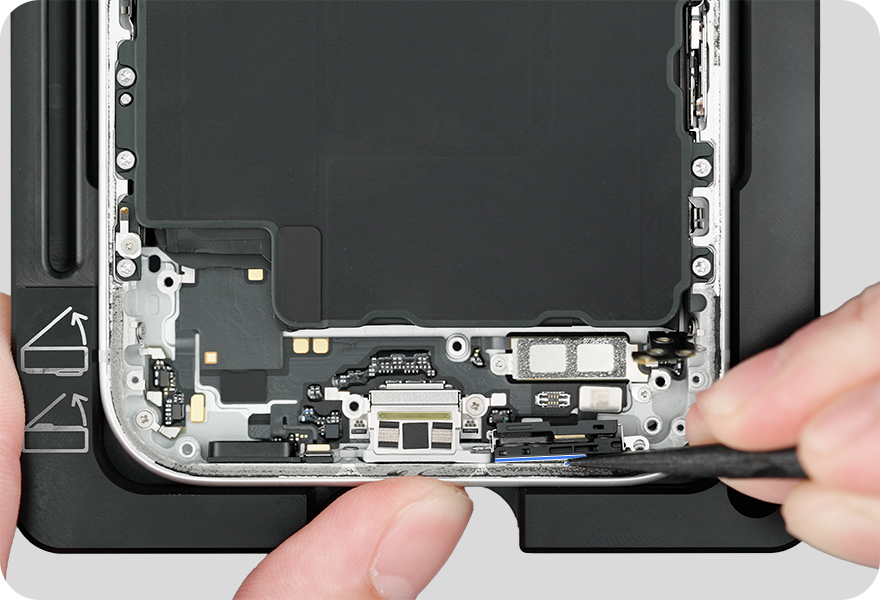

-
Lift the main microphone out of the enclosure.
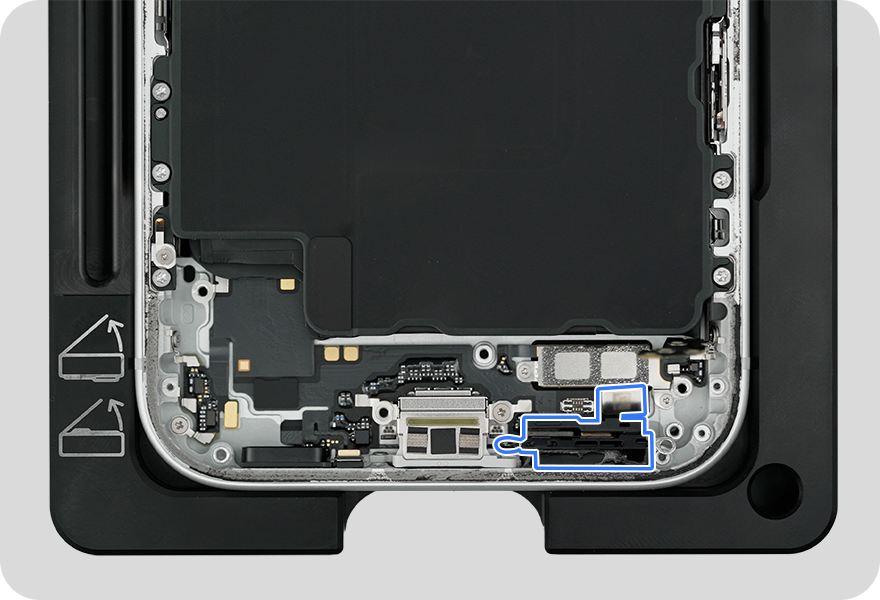
-
Reassembly
Screw Diagram
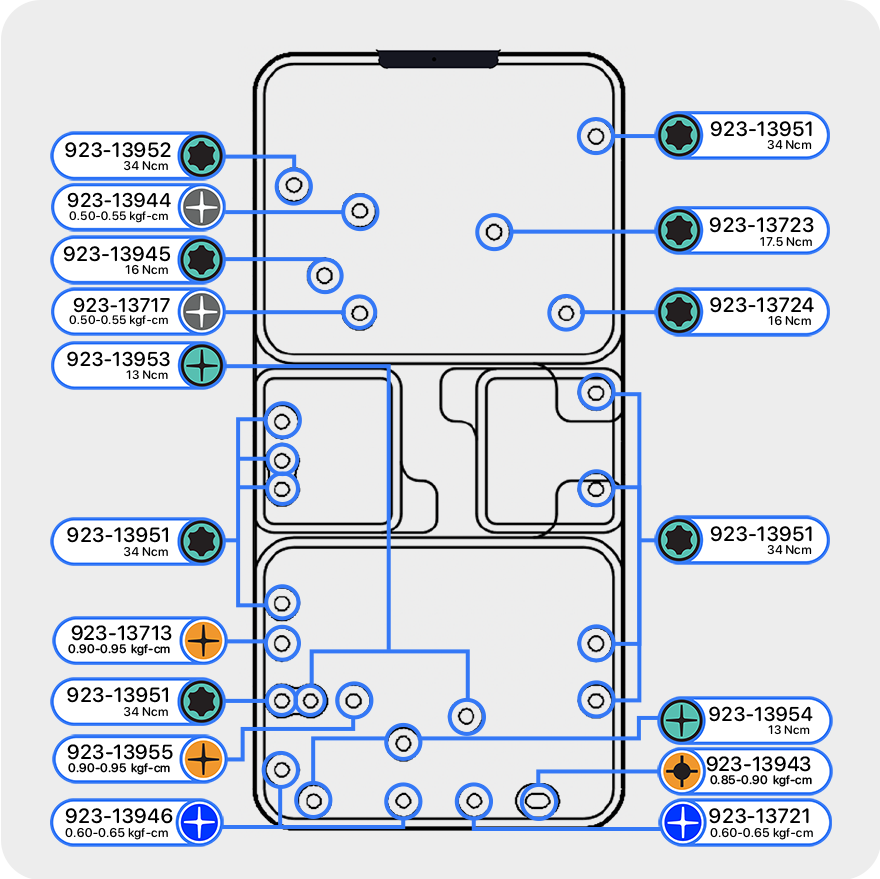
-
Use the ESD-safe tweezers to remove all adhesive from the enclosure. Discard the adhesive. Clean the area with an ethanol wipe or IPA wipe.
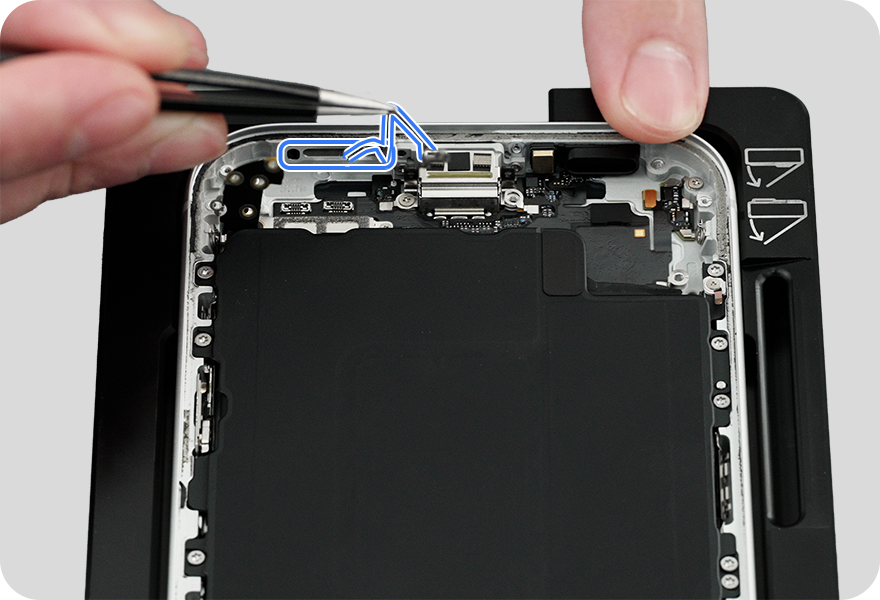
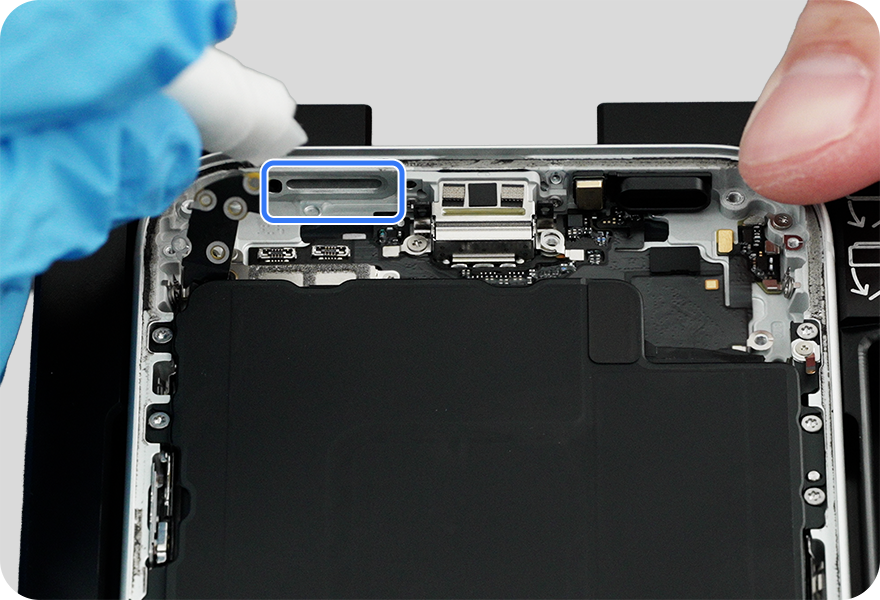
-
Important: If you're reinstalling the existing microphone, you must install a replacement adhesive gasket. Remove the existing gasket on the main microphone, and clean any adhesive residue from the microphone.
-
-
Apply the replacement adhesive gasket to the main microphone, aligning the gasket as shown.
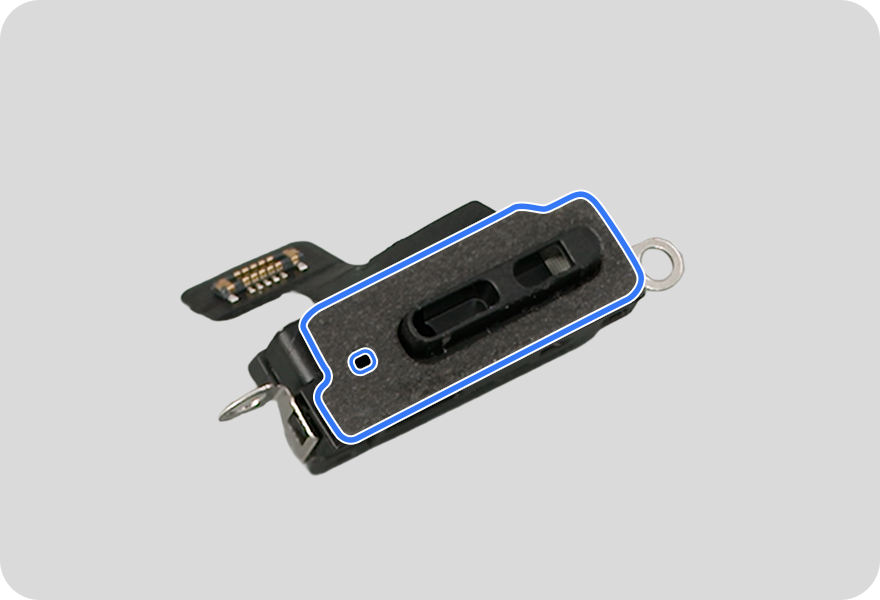
-
Position the main microphone in the enclosure.
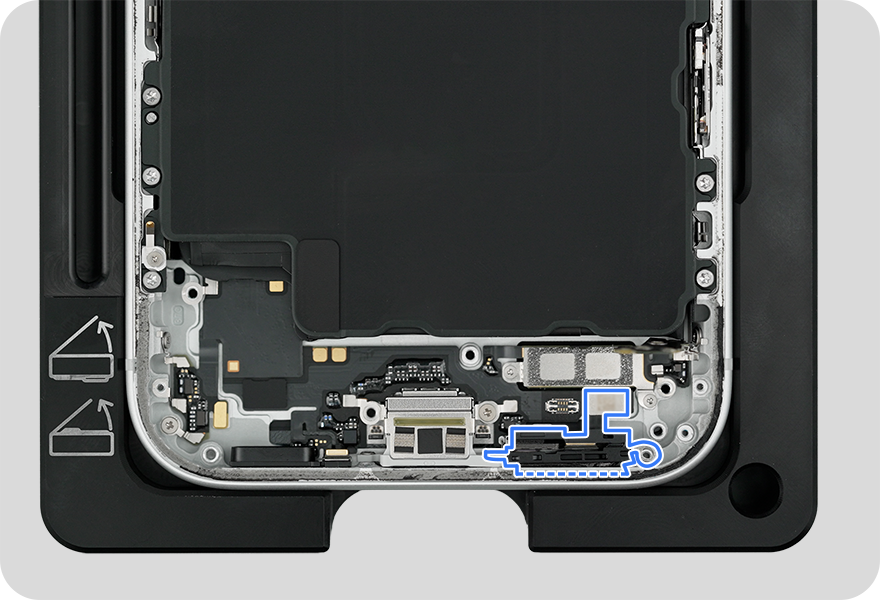
-
Press and hold the top of the main microphone against the sidewall of the enclosure for 20 seconds to ensure that it adheres to the enclosure.
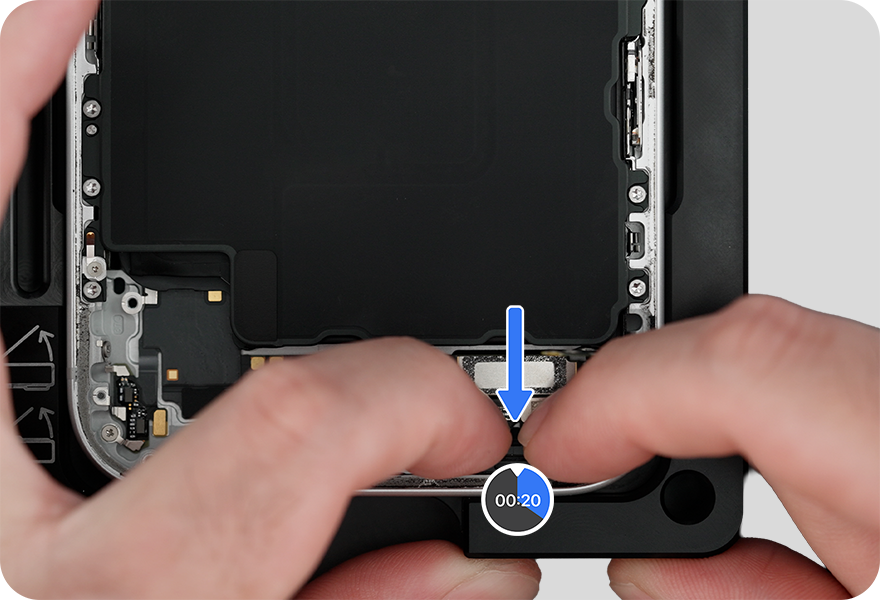
-
Press the end of the main microphone flex cable to the connector.
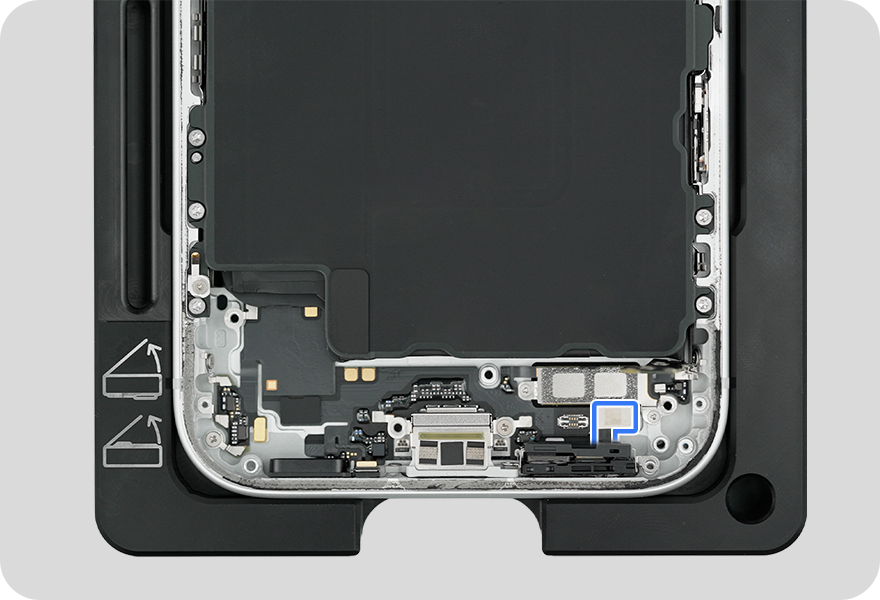
-
-
Use the orange torque driver and super screw bit to install one new super screw (923-13943) into the main microphone.
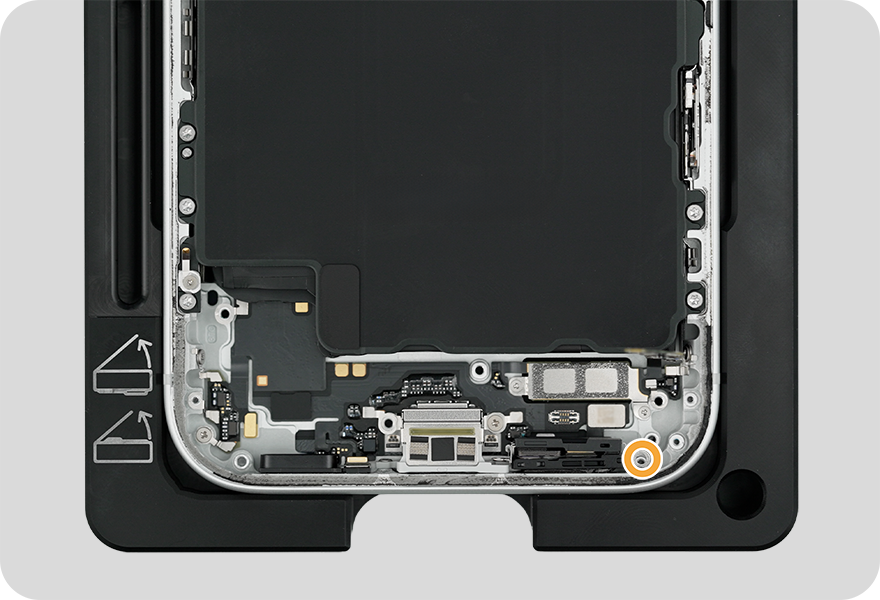
-
Use the blue torque driver and crosshead bit to install one new crosshead screw (923-13721) into the main microphone.
For models with a physical SIM, reinstall the following parts to complete reassembly:
For models with eSIM, reinstall the following parts to complete reassembly: